The Studio Desk · for creatives who work with clients

The business side of creative work, finally in one place.

Clients, quotes, invoices, contracts, proposals and a desk you share with every client — in your own colours, on your own computer. Made by a designer who has run her own studio since 2010.

From N$420 a month · your data stays on your device · currently in beta

It’s all (finally) in one place

Clients. Quotes. Invoices. Contracts you sign online. Price menus. Proposals. Welcome guides. A desk for every client. What to charge. What’s really yours. The Brief Studio. Daily planning. Your own colours. And living tools for the tricky bits.

See it for yourself — try the demo ↓
Welcome — Kunshuis

My own welcome guide, made in the Desk. My photo, my work, how I work and what it costs — one link, or a PDF.

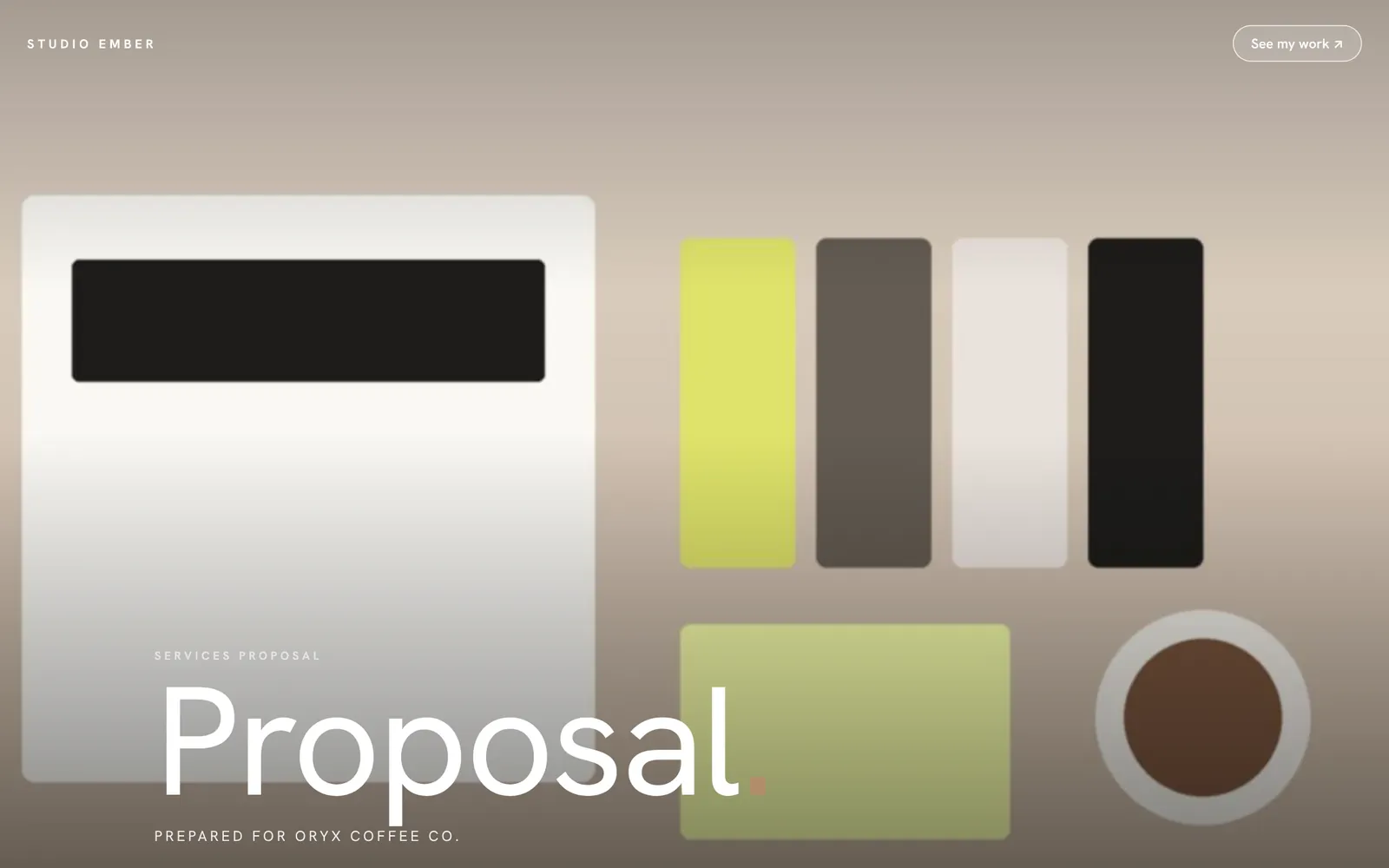
The cover of a proposal, with a full-width photo and the studio's name
Proposals with your own cover photo
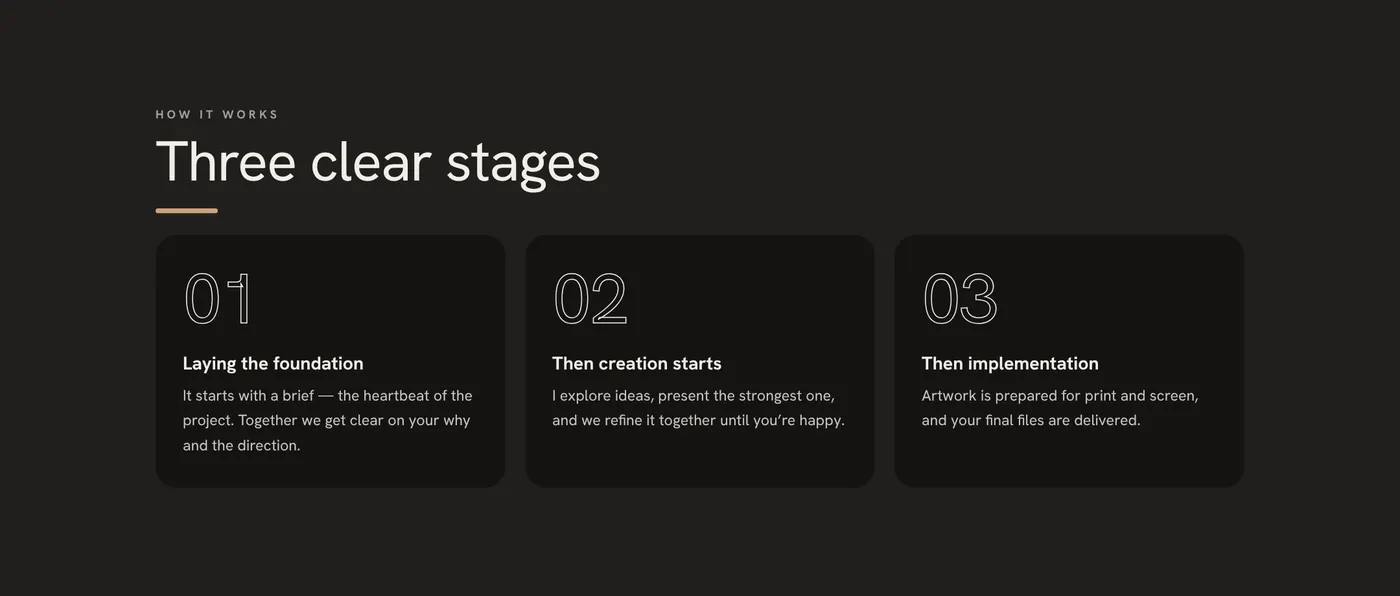
How the project works, in three stages, in the Dark look
Light, Dark or your own colours

From the very first hello

Welcome new clients in a way that looks like you.

Your first impression deserves more than a hurried email. Send a proposal or a welcome guide as a beautiful link that shows who you are, what you’ve made and how working with you goes — before anyone has to ask.

  • Welcome guides and proposals that are already written — change the words to sound like you
  • Add your own photos, a gallery of your work and your packages with prices
  • Light, Dark or your own colours, with five heading fonts to choose from
  • Share it as a link your client can open on their phone, or save it as a clean PDF
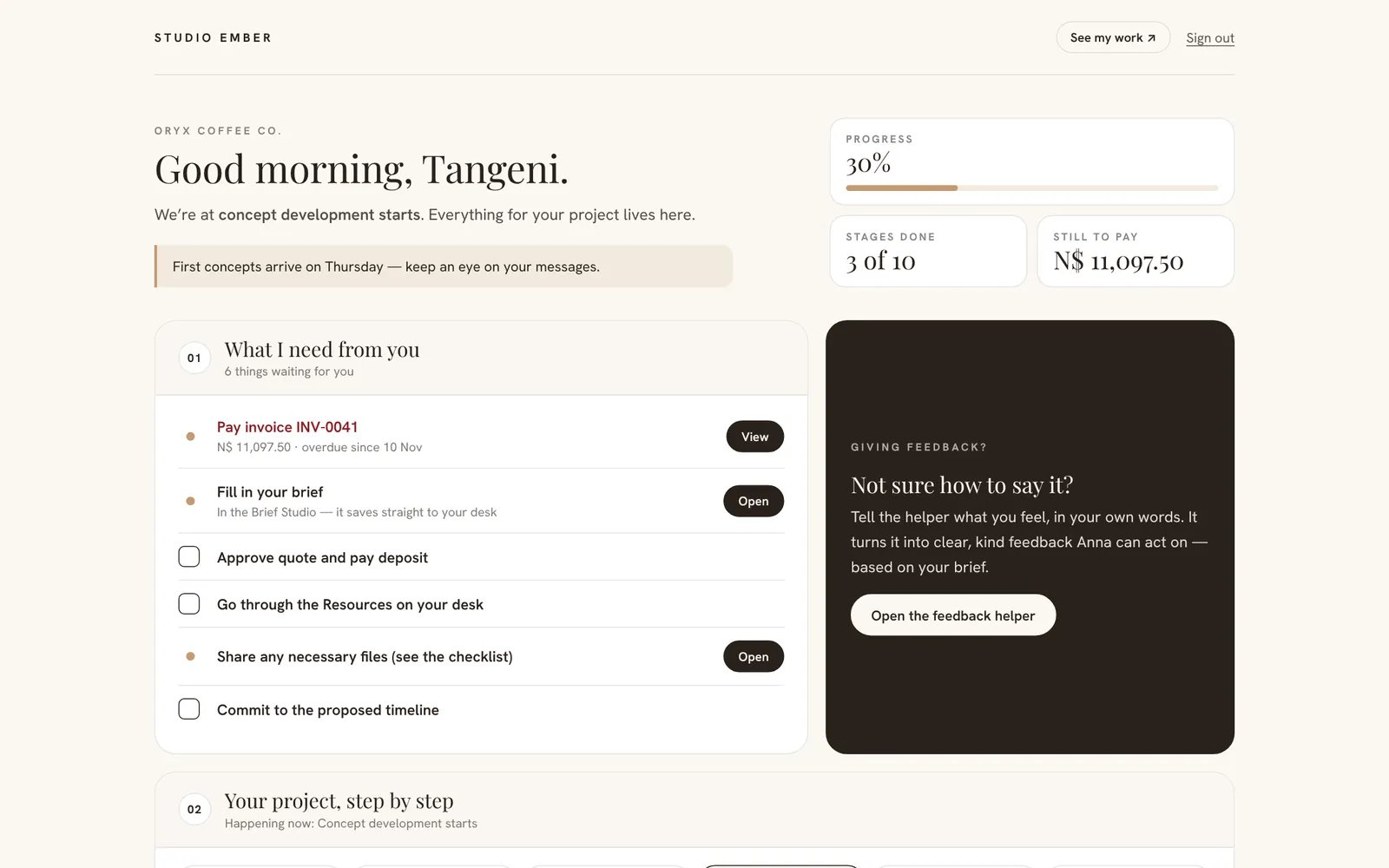
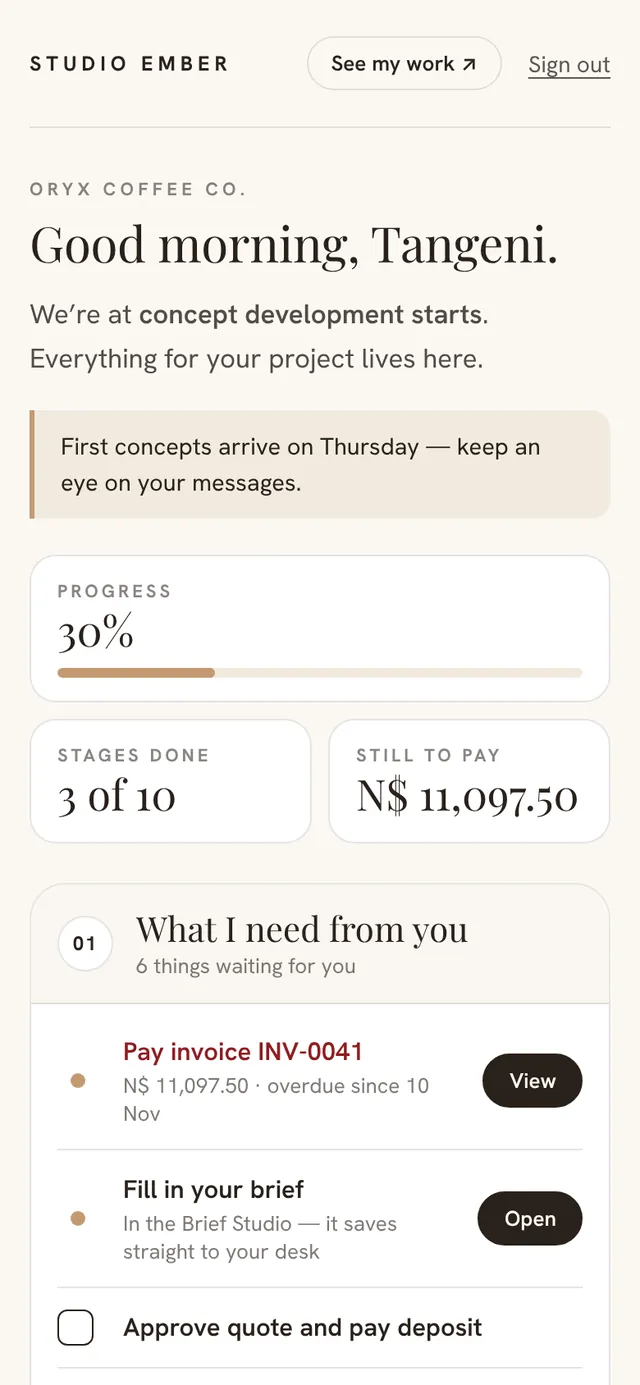
A client's home: a calm greeting, what the designer needs from them, and the project's progress
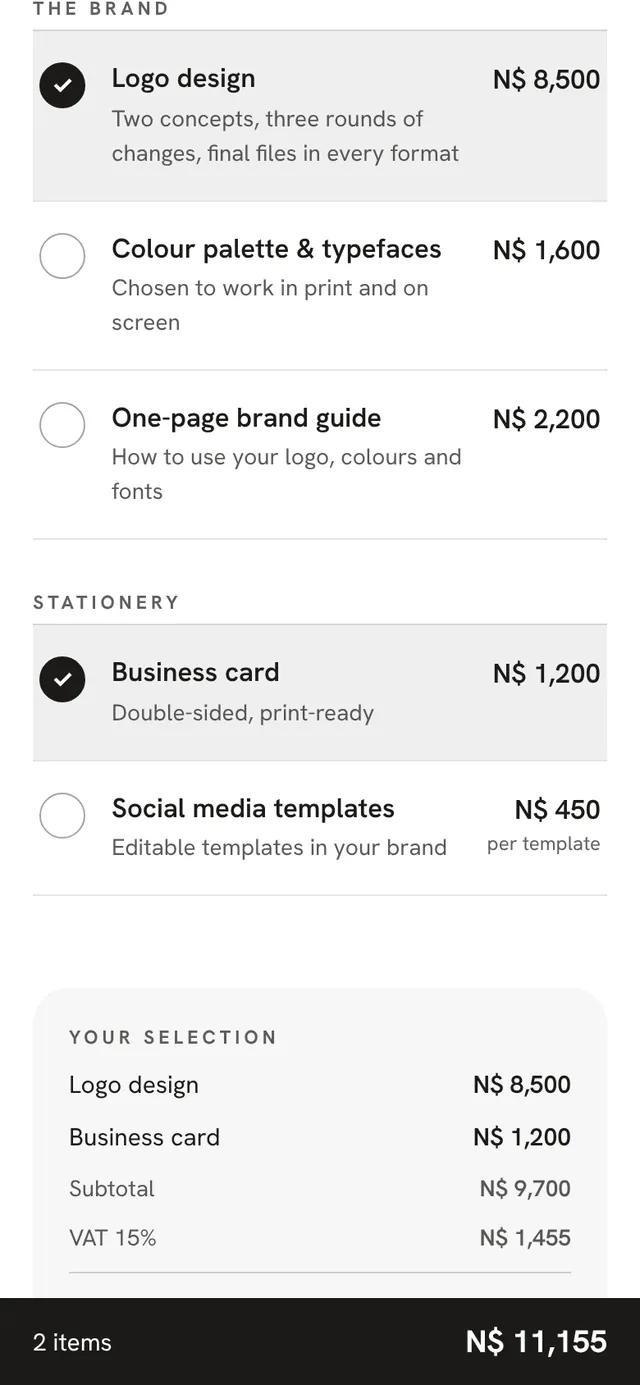
The client's home on a phone
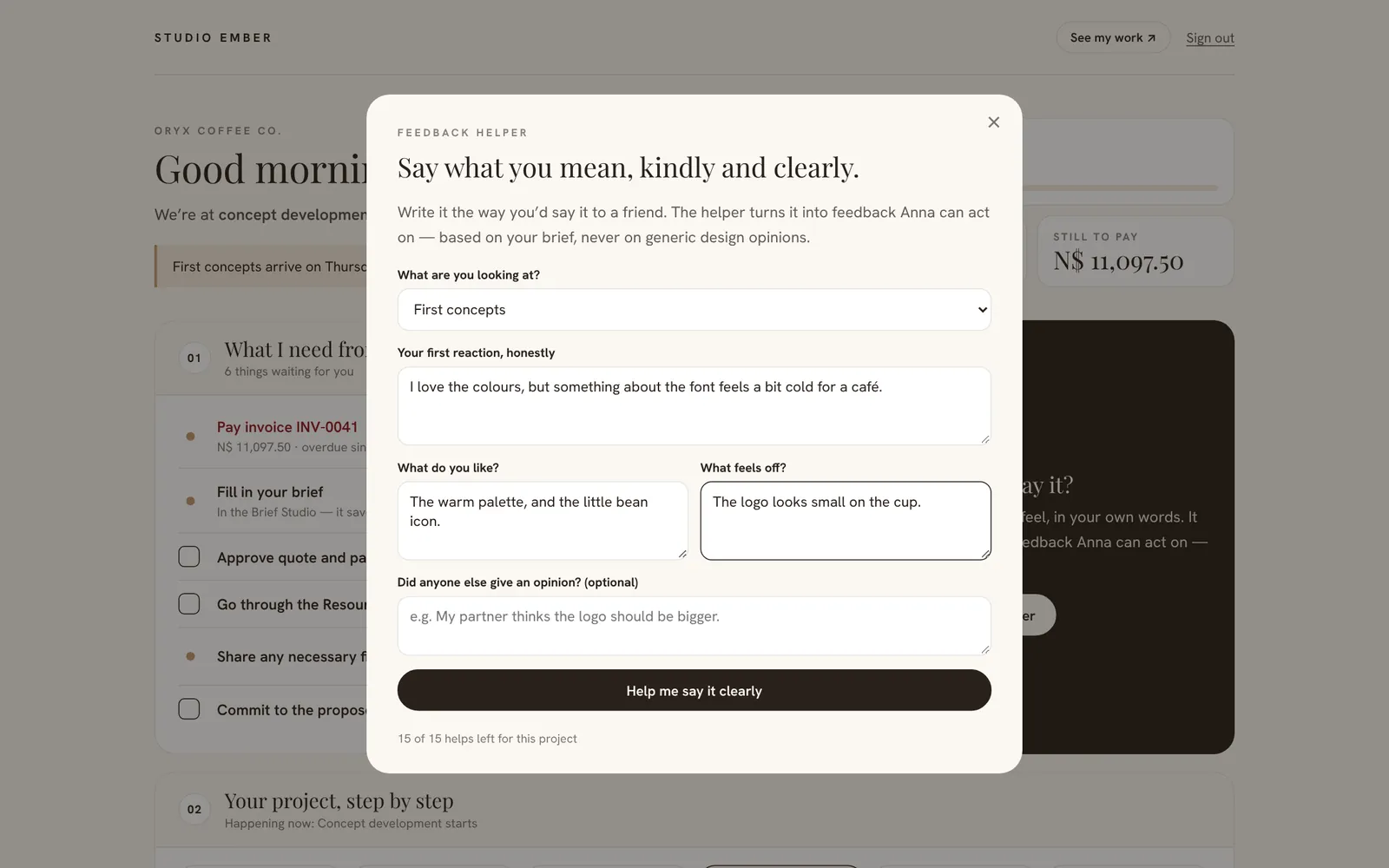
The feedback helper, where a client describes how a design feels in their own words
The feedback helper
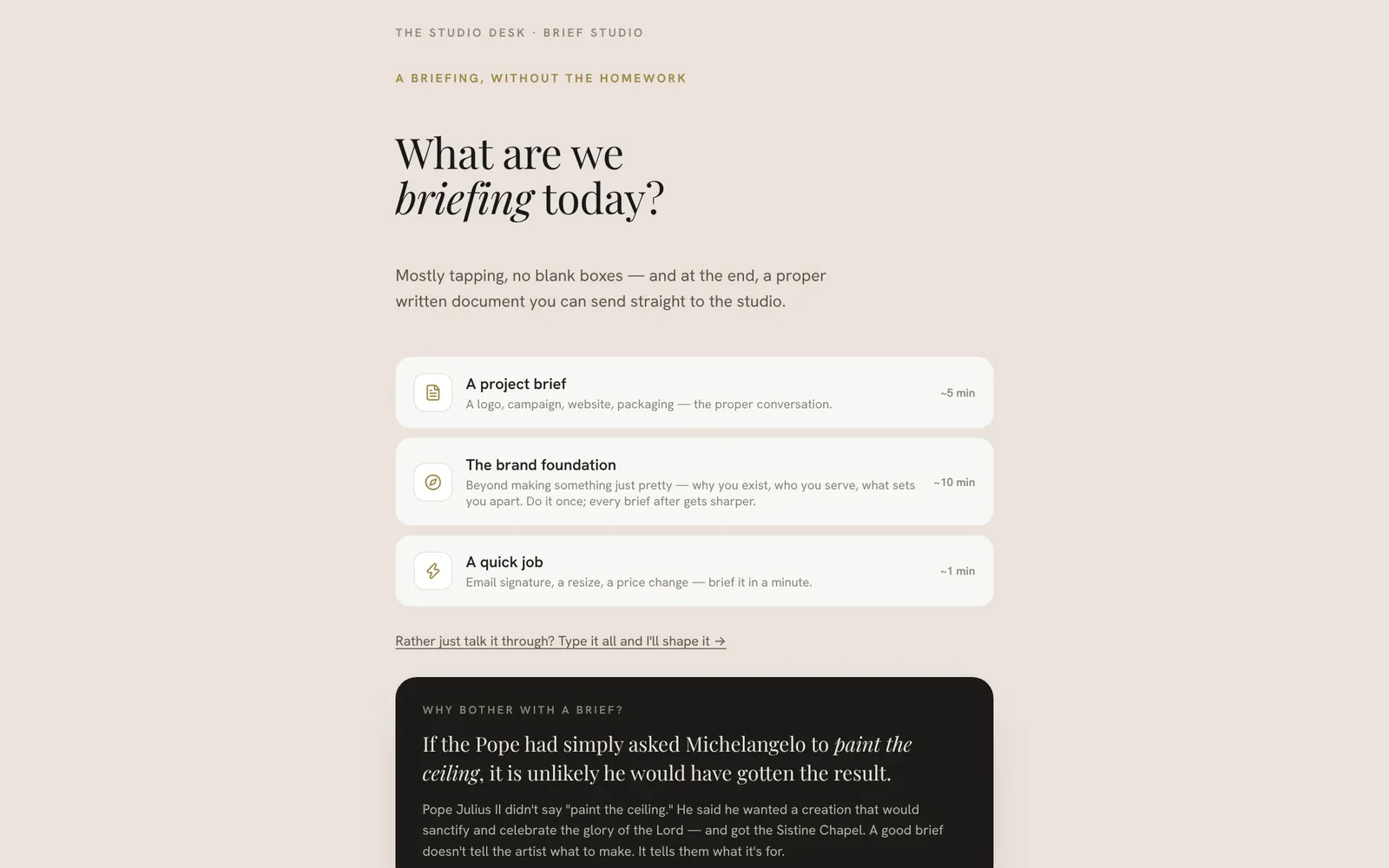
The Brief Studio, a guided brief your client fills in
Briefs from the Brief Studio

While the work happens

One desk you share with each client.

Every client gets their own home: what you need from them, where the project stands, their quotes and invoices, and your messages — without a single “just following up” email. You see exactly what they see, and edit it right there.

  • Their brief, written in the Brief Studio, saves straight to their desk
  • A status report for retainer and corporate clients, ready for their Monday meeting
  • A feedback helper that turns “make it pop” into feedback you can actually use
  • Contracts to sign and proofs to approve, right where your client will see them

Finances, made for creatives

Money that finally makes sense.

Most money software is made for accountants. The Finances room is made for the person who’d rather be creating. It works out what you should charge, prices the project with you, and shows in plain English what’s really yours to spend — then keeps the quotes, invoices, VAT and tax in step.

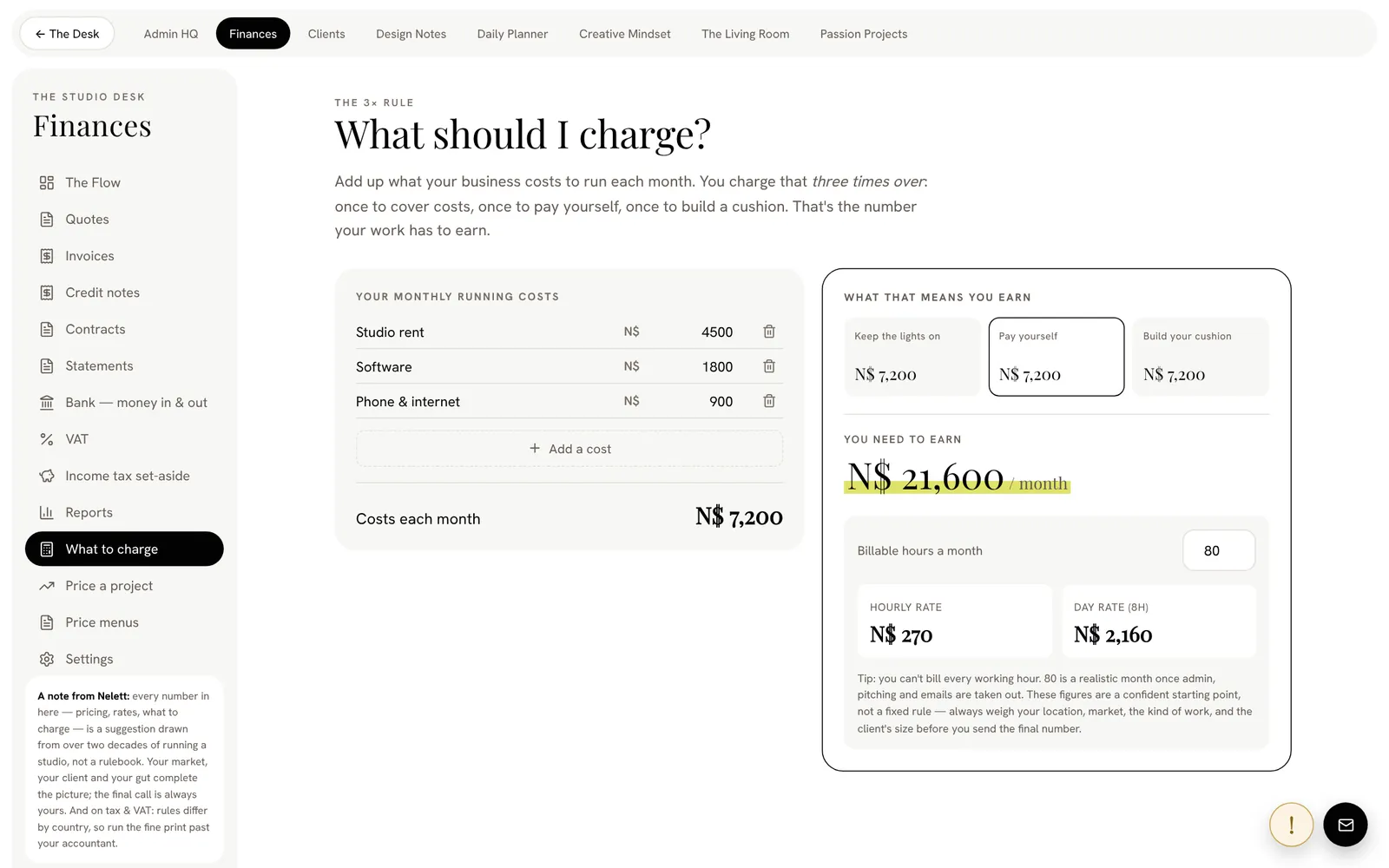
What should I charge? Monthly running costs on the left, and the income, hourly rate and day rate they add up to on the right

What to charge

Your rate, worked out for you.

Add up what your studio costs to run each month. The Desk uses the 3× rule — once to cover costs, once to pay yourself, once to build a cushion — and gives you an hourly and day rate you can stand behind.

Every other price on the Desk starts from this number.

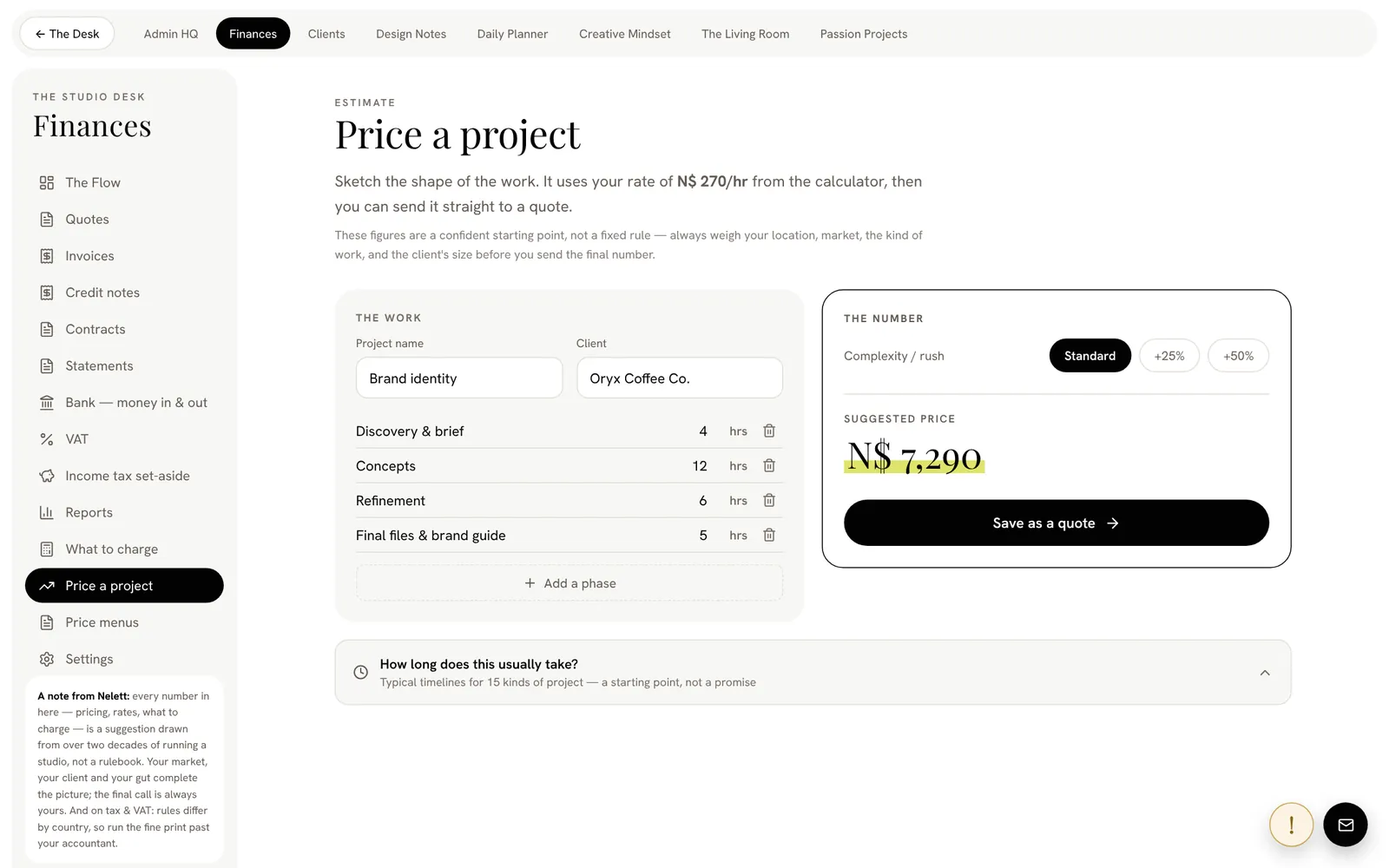
Price a project: phases with hours on the left and the suggested price on the right

Price a project

Sketch the work. Get the number.

List the phases and the hours each one takes. The Desk works out the price from your rate, adds a little for complexity or a rush job if you need it, and turns it into a quote with one click.

Not sure how long things take? Typical timelines for 15 kinds of projects are right there.

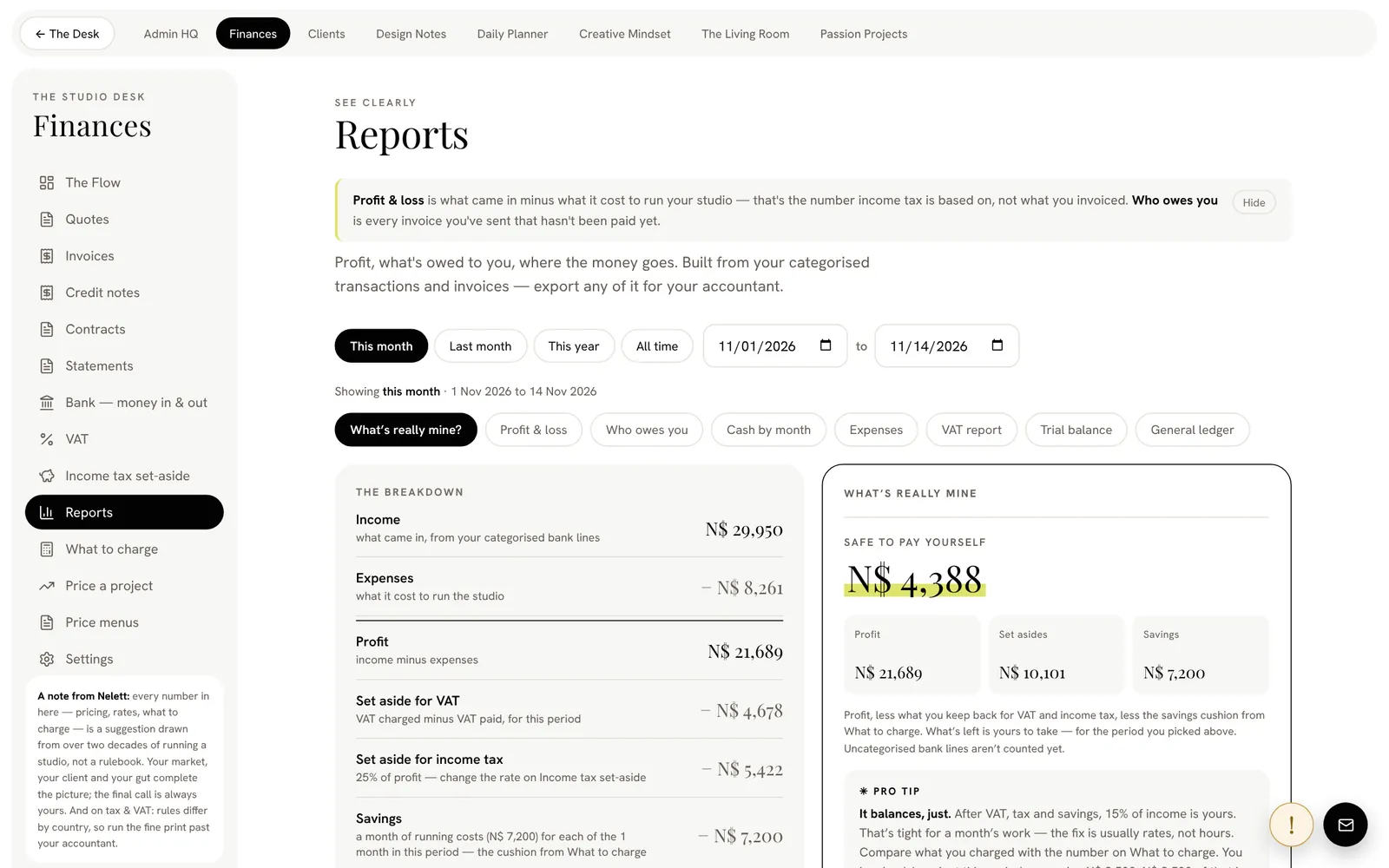
What’s really mine: income, expenses and profit, less VAT, income tax and savings, and what is safe to pay yourself

What’s really mine?

What’s safe to pay yourself.

Money in the bank isn’t all yours. The Desk takes off the VAT you owe, the income tax to put aside and your savings cushion, and shows what’s left to take home — for this month, or any period you choose.

With one honest tip about what to change if it’s tight.

The everyday money

Paid, tracked and sorted.

Everything you need to send, chase and keep track of, in words you don’t need an accountant to translate.

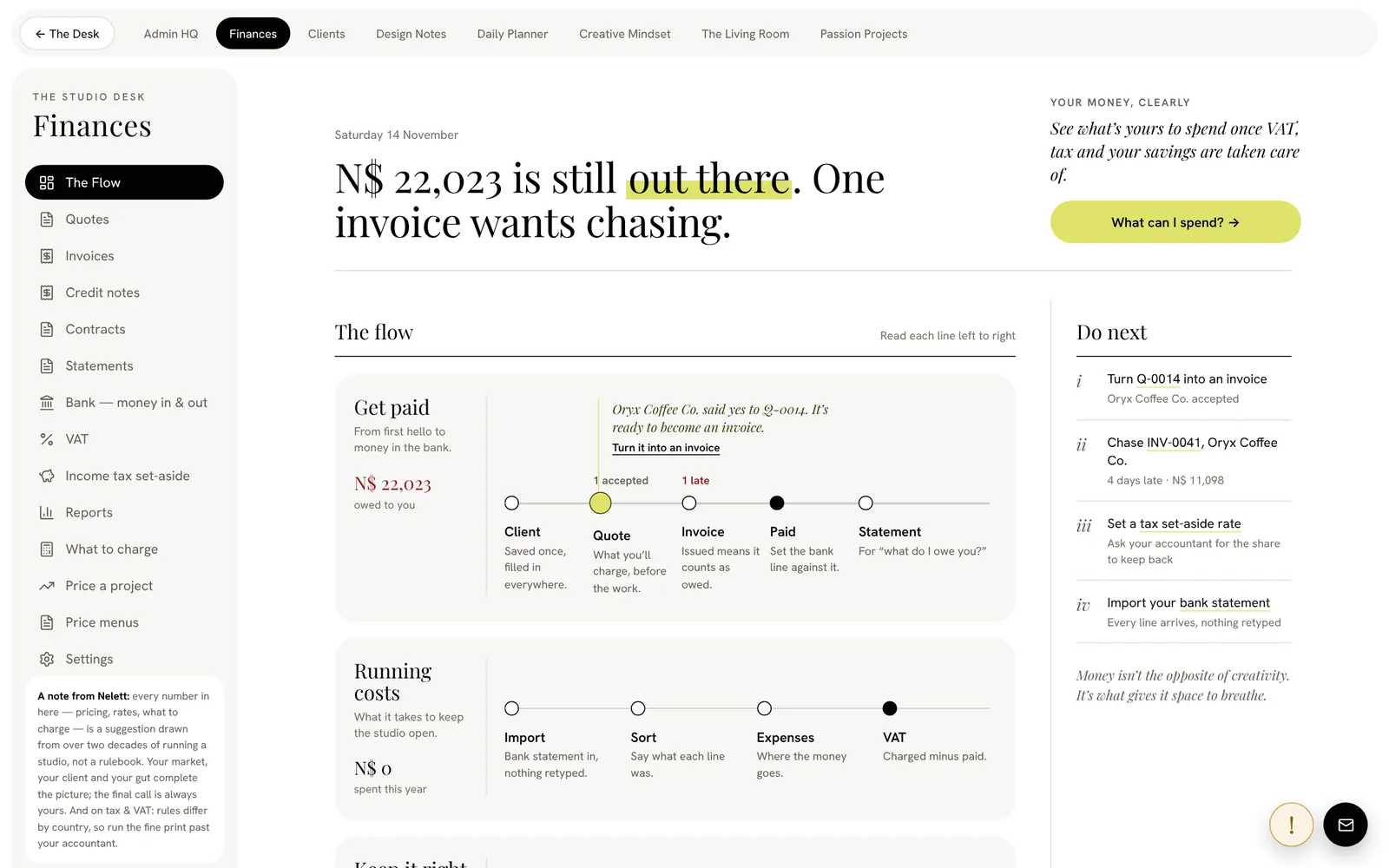
The Flow: what's still owed, the path from client to quote to invoice to paid, and what to do next
The FlowSee what’s owed to you, what needs chasing and what to do next, all on one page.
Quotes → invoices → statementsOnce the client says yes, the quote becomes an invoice with one tap. Send a statement when someone’s behind.
Credit notesFix an invoice the proper way, without starting over.
Bank — money in & outImport your bank statement (PDF or CSV), say what each line was, and match payments to invoices.
VATWhat you charged minus what you paid, for any period. Turn it off if you’re not registered.
Income tax set-asideA share of every profit kept back, so tax time isn’t a shock.
ReportsProfit & loss, who owes you, cash by month and more — ready to export for your accountant.
Bring your books overMoving from FreshBooks, Wave, QuickBooks or a spreadsheet? Download the template and import in three steps.

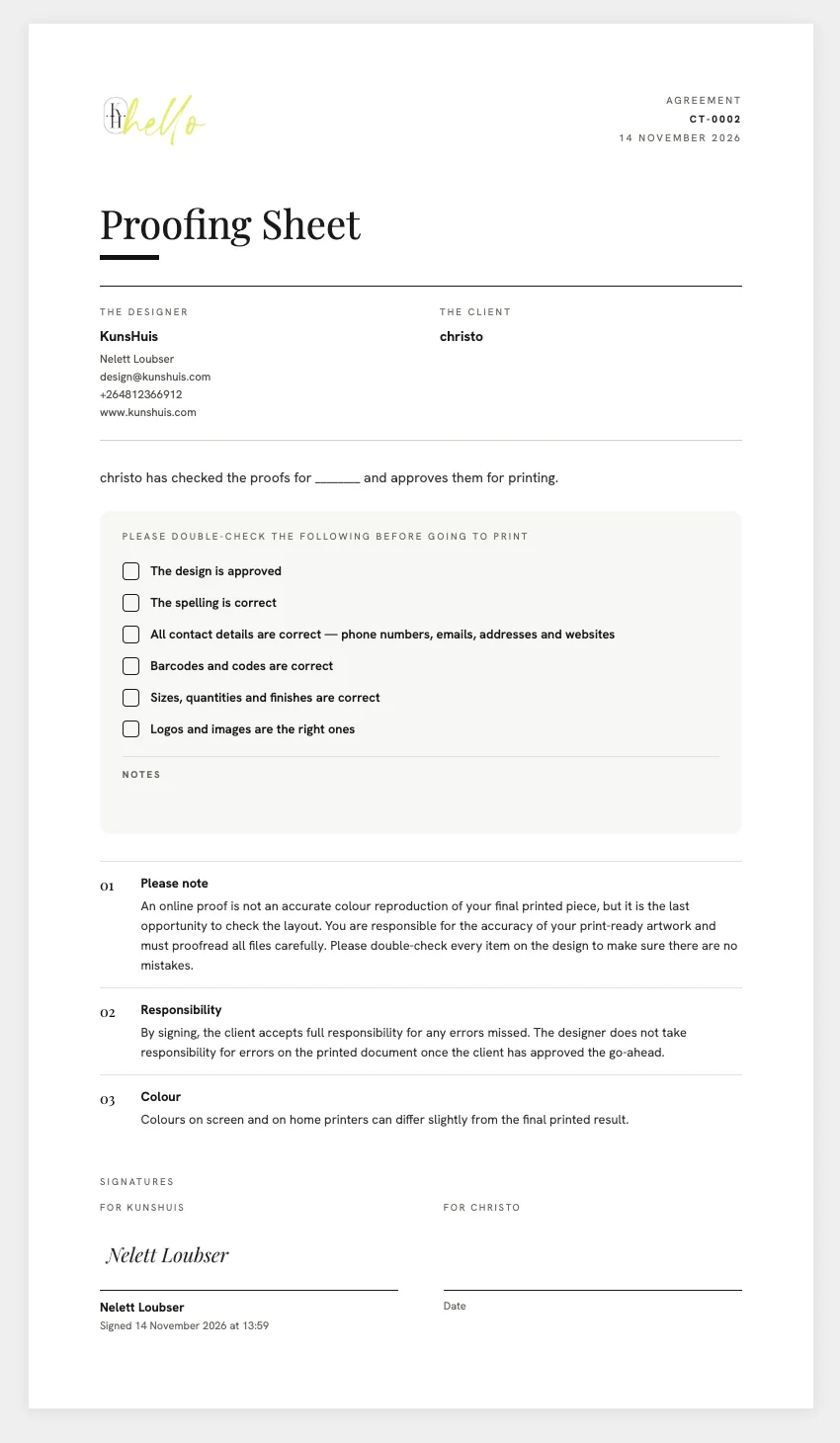
A proofing sheet: a checklist the client ticks before print, the notes, and both signatures
A real proofing sheet, signed before print
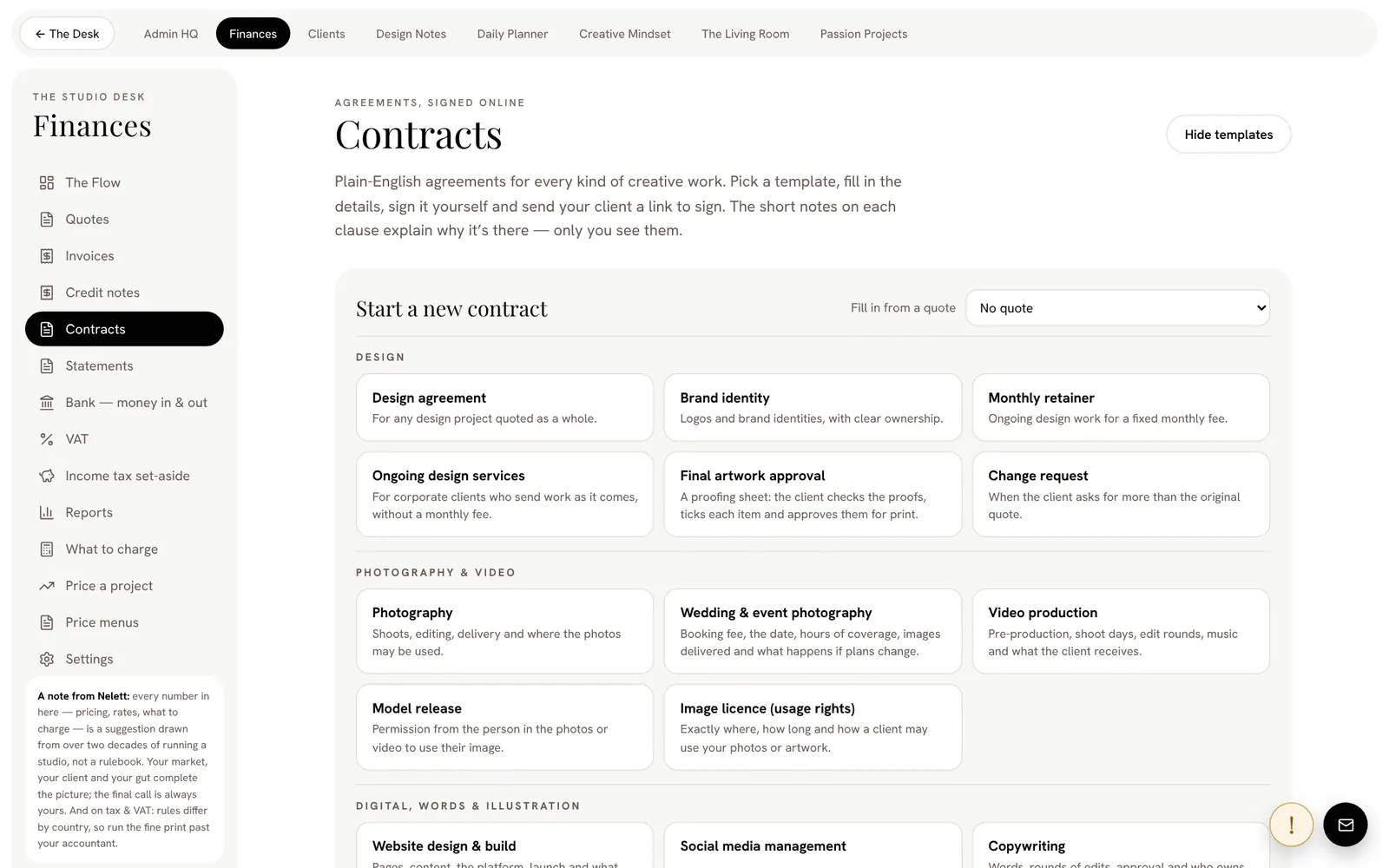
Contract templates grouped by design, photography and video, digital and everyday paperwork
Templates for every craft
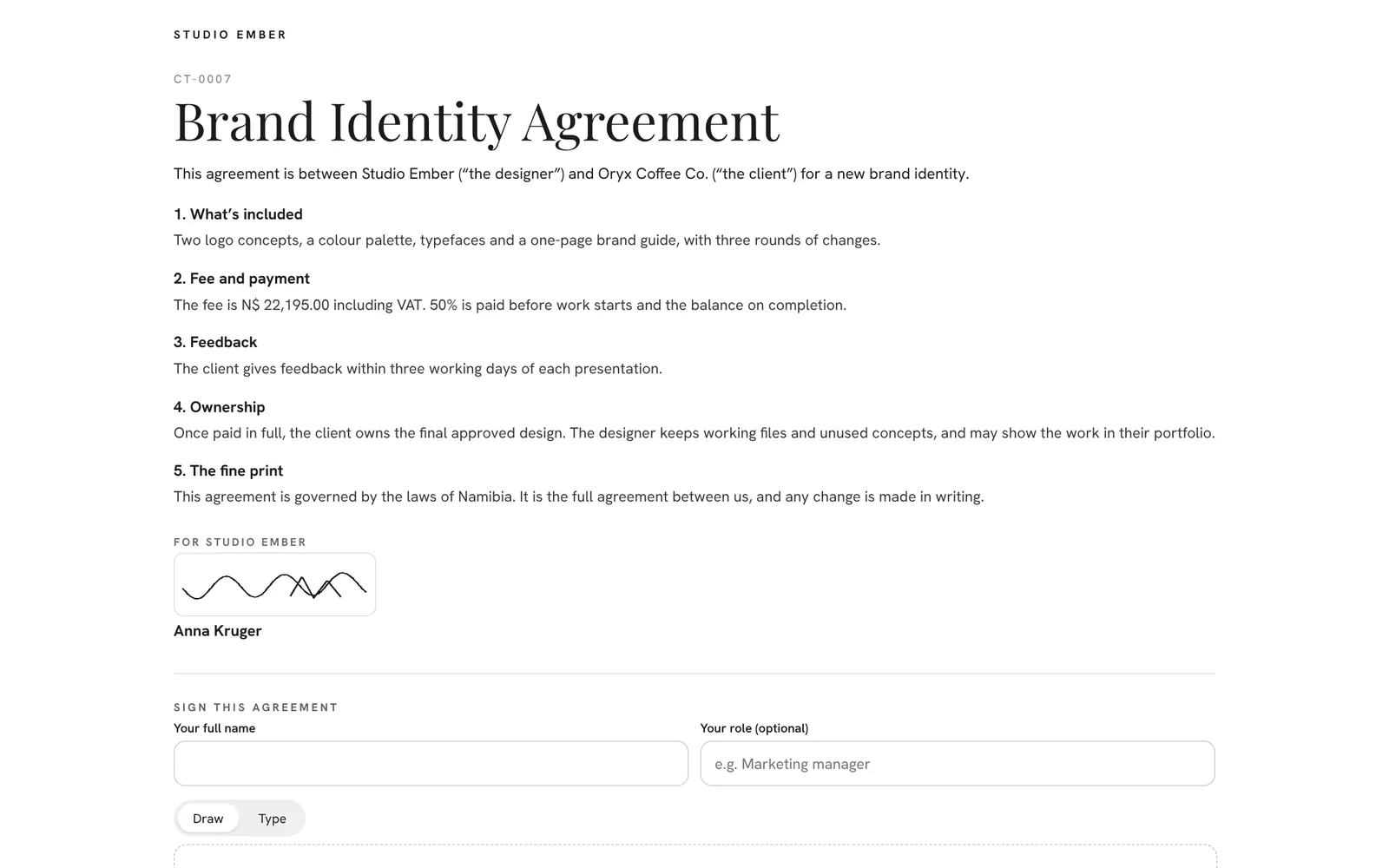
A client reading a contract online, with a place to sign
Your client signs online

Agreements and sign-off

Agreed, signed and approved.

When it’s time to agree on the work, there’s a contract for it — in plain English, filled in from the quote, signed online. And before anything goes to print, your client signs that too.

  • 18 contract templates — design, photography, video, web, copywriting, illustration, NDAs and more — or start with a blank page
  • Sign it yourself, send a link, and get a signed PDF with both signatures back
  • A proofing sheet for print work: your client ticks every check and signs before it goes to press
  • Agreements can also wait on your client’s own desk, so nothing gets lost in an inbox

Admin HQ · living tools

A little like having me at the other end of the desk.

A living tool isn’t a template you fill in, and it isn’t a chatbot that tells you what you want to hear. Each one is built on how I’ve worked with clients for more than twenty years — the questions I ask, the checklists I use, the conversations I’ve learned to have. You bring the real situation. It works through it with you, and gives you something you can use straight away: a reply to send, the questions to ask, a plan, a price you can explain.

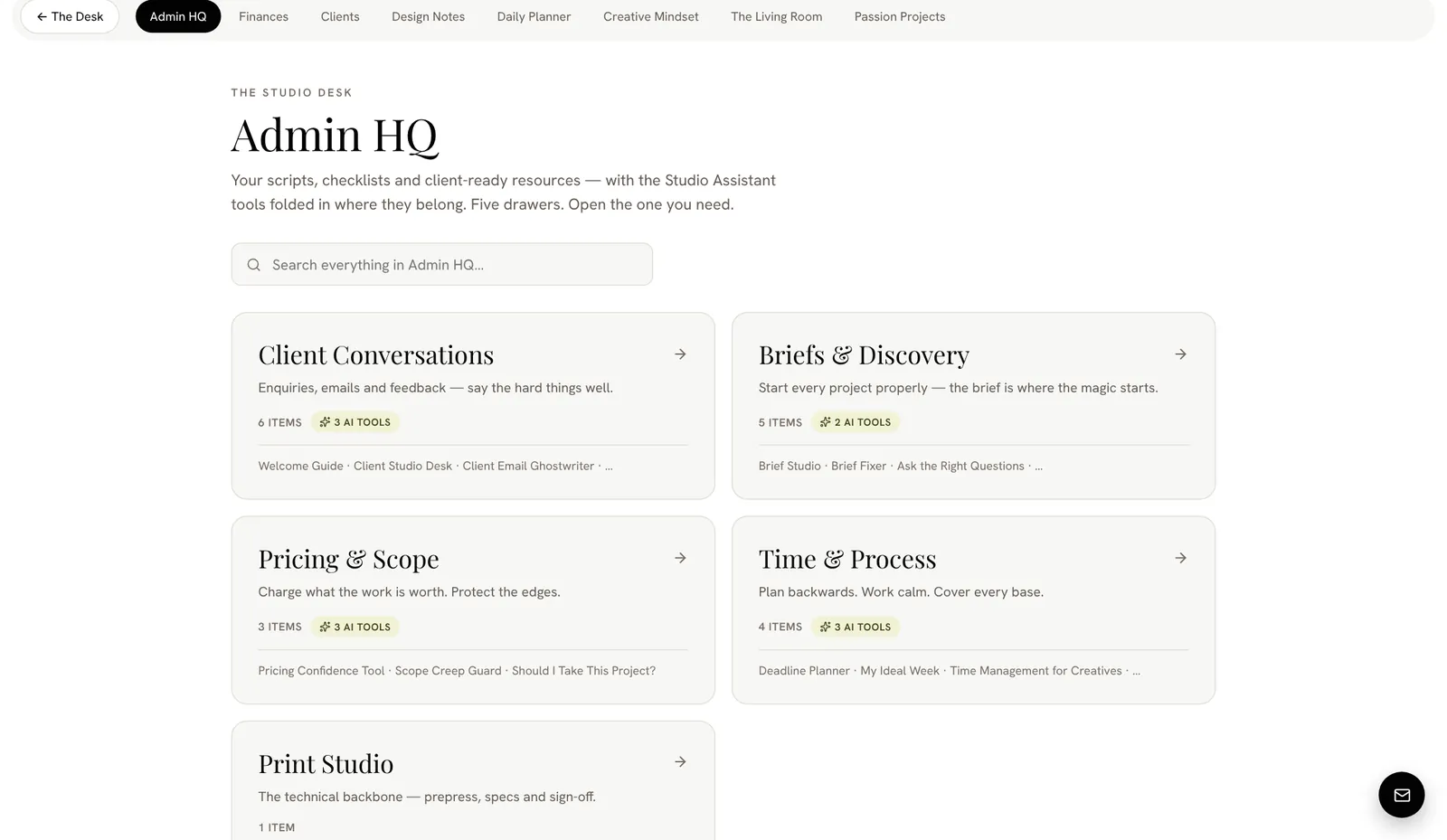
Open the right drawerAdmin HQ has five drawers, sorted by the moment you’re in — a new enquiry, a brief, a price, a deadline, a print job.
Tell it what’s really going onPaste the email, the brief or what was agreed. Say who the client is and where the project stands.

Get a draft, a verdict or a planThen make it yours. Change the words, weigh it against your gut — the final call is always yours.

For the moments that make you sigh.

The vague enquiry

“What are they actually asking for?”

Client Enquiry Decoder, Brief Fixer and Ask the Right Questions help you find what’s missing before you commit.

The awkward reply

“How do I say this nicely?”

Client Email Ghostwriter finds the words. Feedback Translator turns unclear comments into direction.

The extra request

“That wasn’t in the quote.”

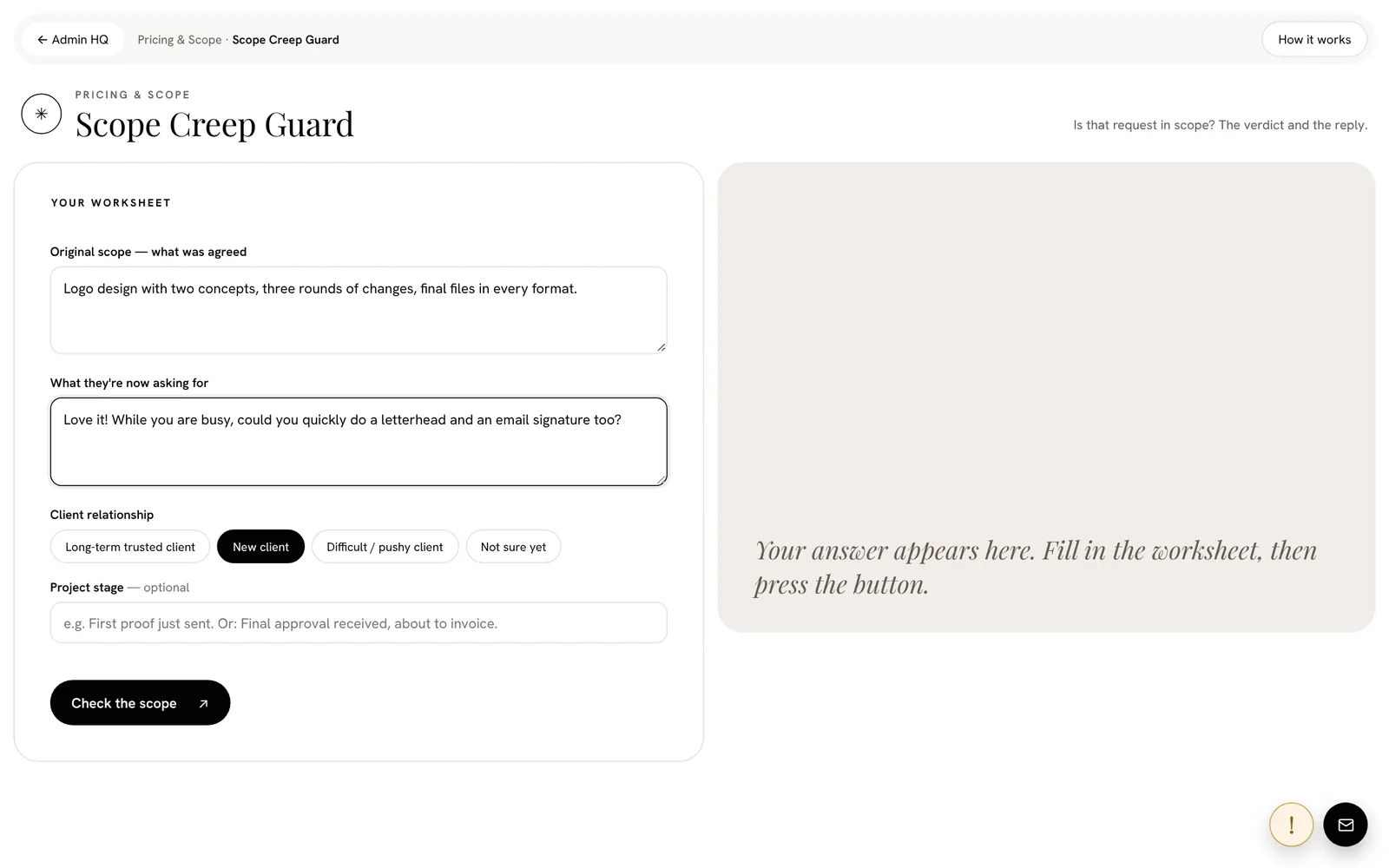
Scope Creep Guard helps you weigh the extra work and reply. Pricing Confidence Tool helps you explain your price.

The very full week

“When am I meant to do all this?”

Deadline Planner and My Ideal Week help you make a plan that fits the time you really have.

What’s in the five drawers.

Client ConversationsSay the hard things well.
  • Client Email Ghostwriter
  • Client Enquiry Decoder
  • Feedback Translator
  • Welcome Guide
  • Client Studio Desk
  • Facilitating a Big Design Project
Briefs & DiscoveryThe brief is where the magic starts.
  • Brief Fixer
  • Ask the Right Questions
  • Brief Studio
  • The Design Process
  • What Is a Brand?
Pricing & ScopeCharge what the work is worth.
  • Pricing Confidence Tool
  • Scope Creep Guard
  • Should I Take This Project?
Time & ProcessPlan backwards. Work calm.
  • Deadline Planner
  • My Ideal Week
  • Time Management for Creatives
  • Project Administration Checklist
Print StudioPrepress, specs and sign-off.
  • The Pressroom — five print tools
Admin HQ with five drawers of scripts, checklists and living tools
Admin HQ — five drawers, opened when you need them
Scope Creep Guard: what was agreed, what the client is now asking for, and the client relationship
Scope Creep Guard, ready to weigh up an extra request

● Living tools  ·  ● Guides, builders and checklists. Every tool has a “How it works” page, and every answer is a starting point — your market, your client and your gut complete the picture.

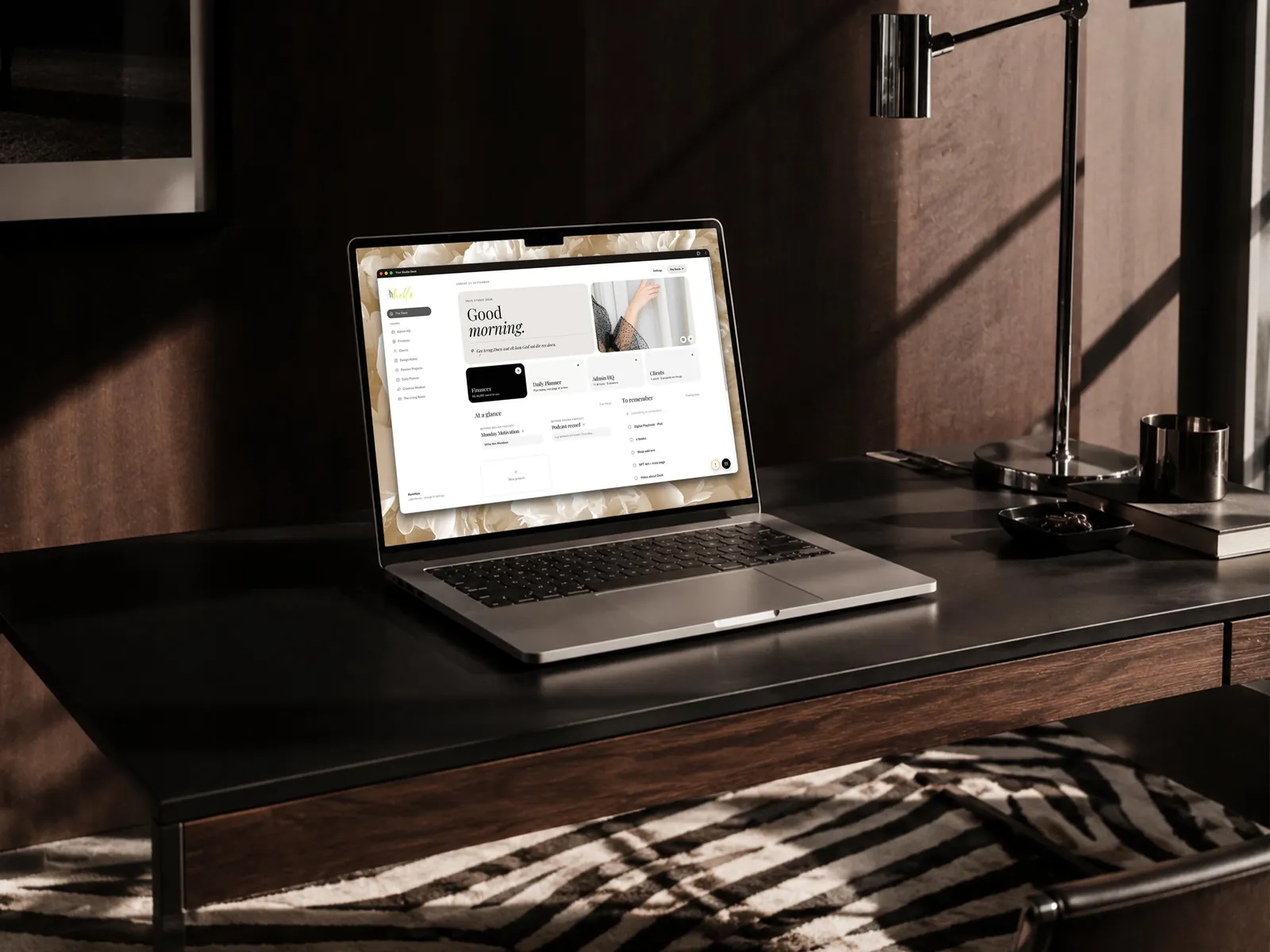
The Studio Desk open on a laptop in a quiet studio, late afternoon lightOn your desk
Hands on a laptop in bed, among soft linenIn your bed, on a Sunday
The Studio Desk app icon on a laptop screen
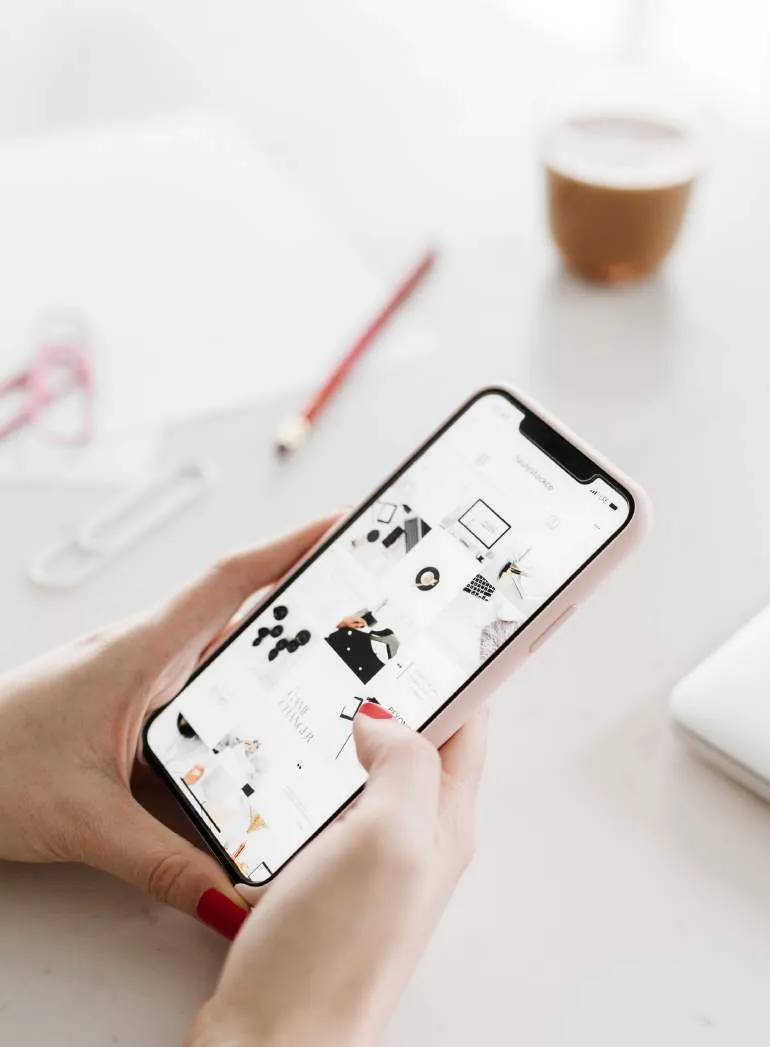
Hands holding a phone at a bright deskOr on your phone

Your data, your desk

The real luxury? Control over your own data.

We’ve all seen what happens when someone else holds the keys — the outage, the breach, the “we’ve updated our terms” email. Your Desk works differently. Everything you put in it lives on your own device. Not on my servers, and not in someone else’s cloud. It’s yours.

It lives on your deviceYour clients, your numbers, your notes and your plans stay on the computer, tablet or phone you use them on.
Backed up where you chooseTurn on automatic backups and pick a folder in Dropbox, iCloud Drive or Google Drive, or on an external drive. The Desk saves a fresh copy whenever something changes. Or download a backup with one click.
Shared only when you say soThe only things that go online are the links you choose to share — a price menu, a proposal, a contract or a client’s desk — so your client can open them.

When you use a living tool, only the details you type in are sent, so it can answer. Moving to a new computer? Restore your backup there and carry on.

Design your life

There’s a whole person behind this business.

Plan the day, keep the ideas, and make a little room for the person doing it all.

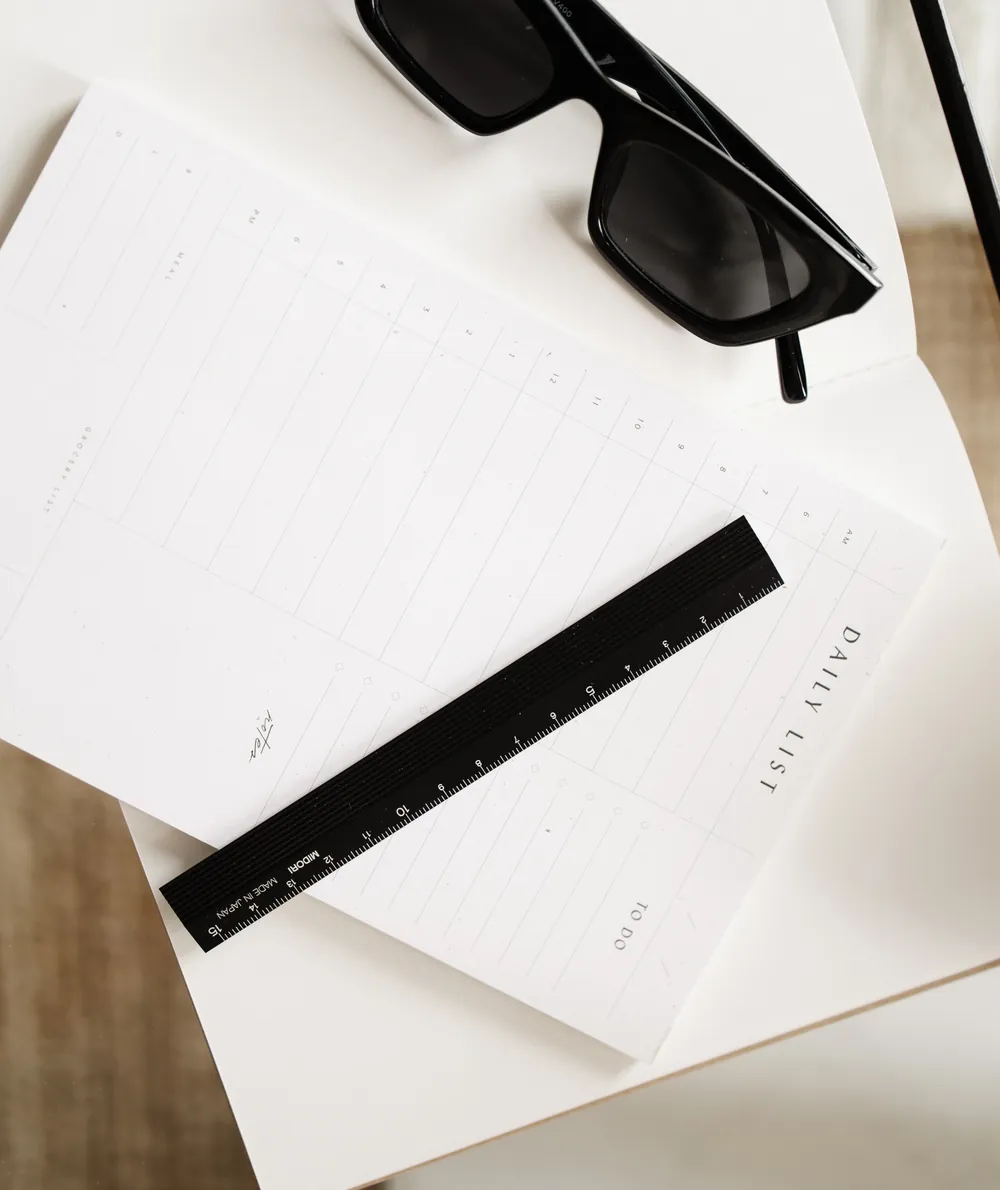
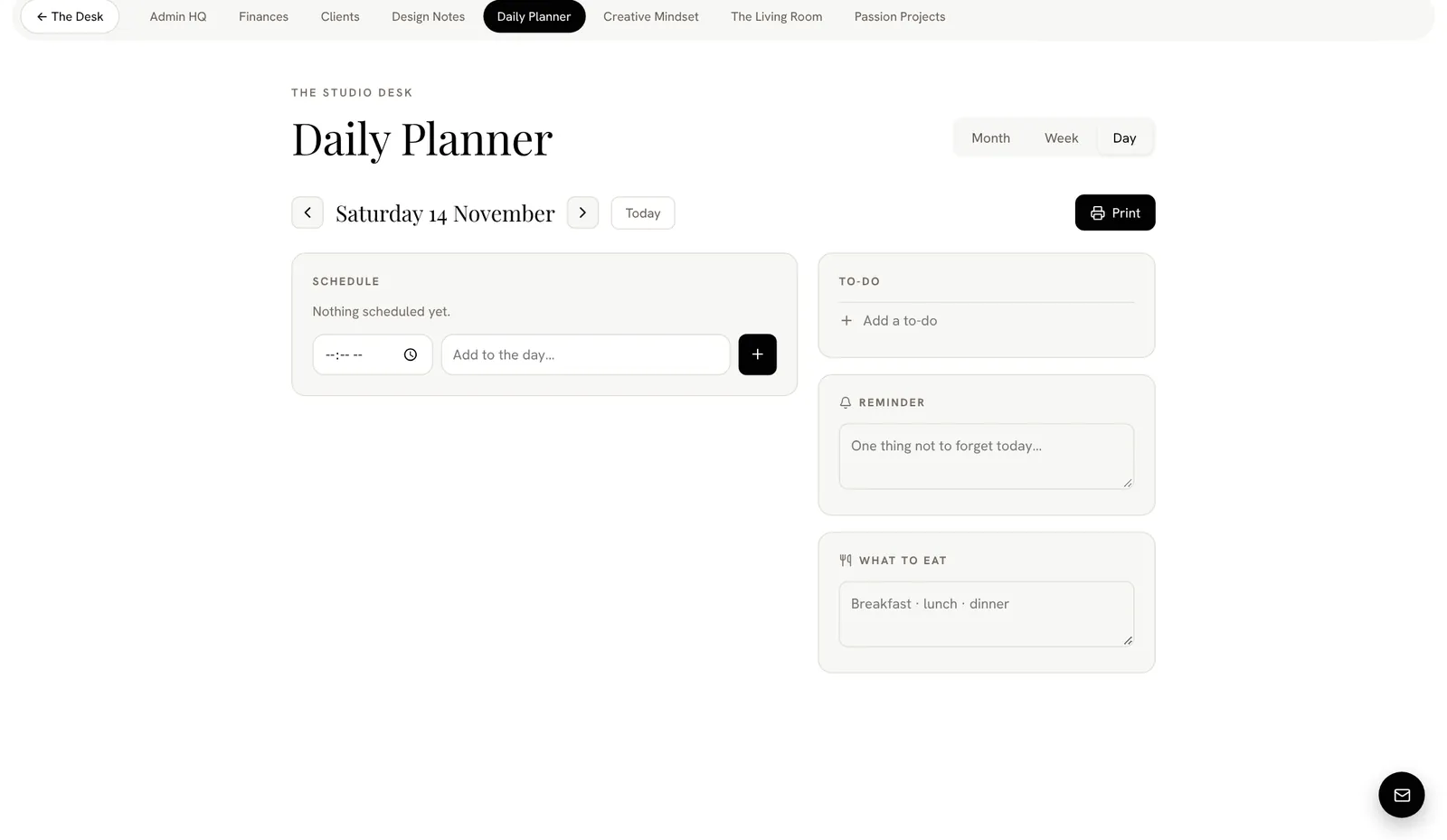
A daily list planner with sunglasses and a ruler
The Daily Planner with a schedule, to-dos and a reminder
Daily PlannerGive today some structure, one page at a time.
Hands sketching notes beside a phone and notebooks
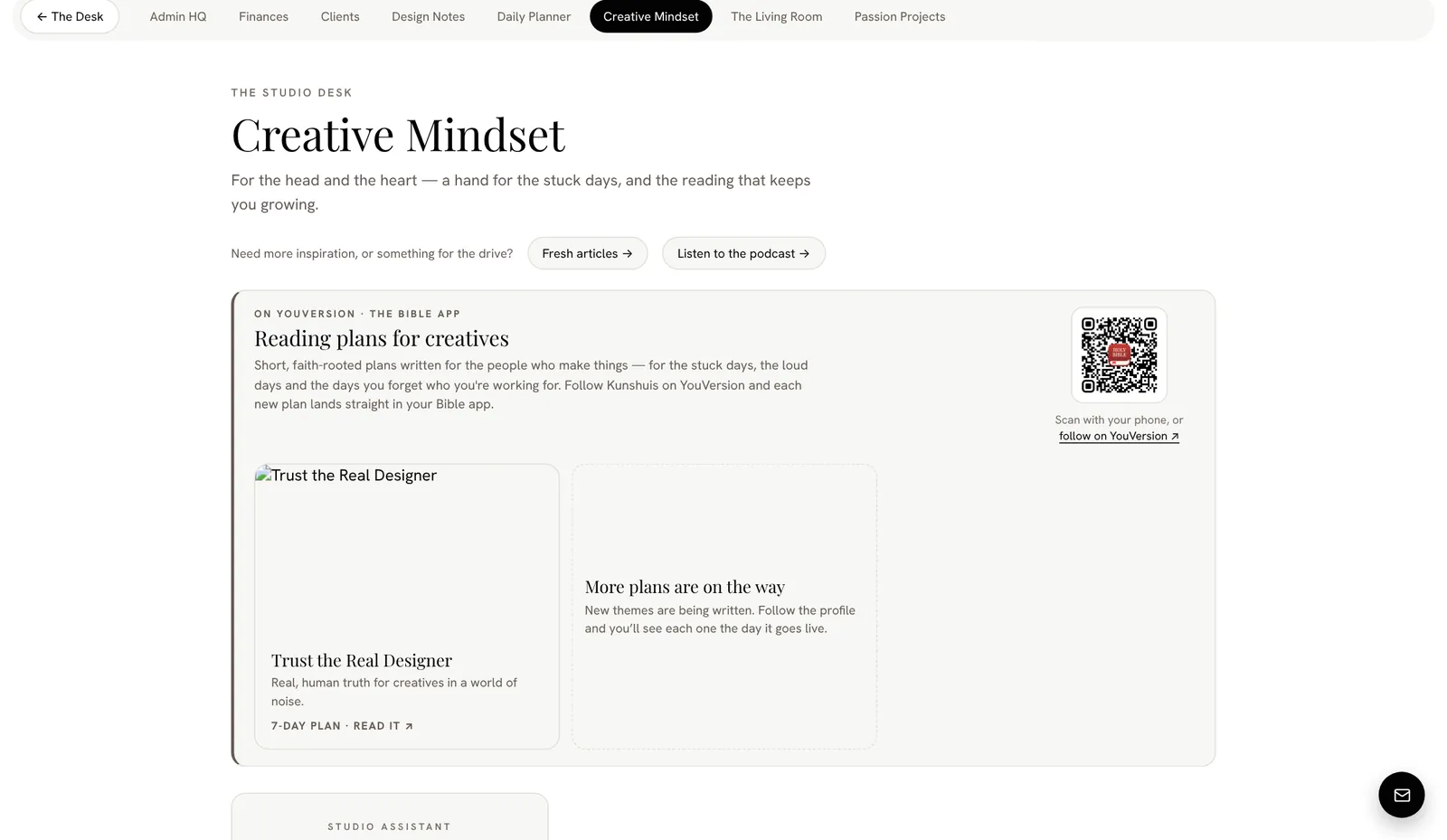
Creative Mindset with reading plans and encouragement
Creative MindsetFor the stuck days, and the reading that keeps you growing.
Washing fresh greens at a sunlit kitchen sink
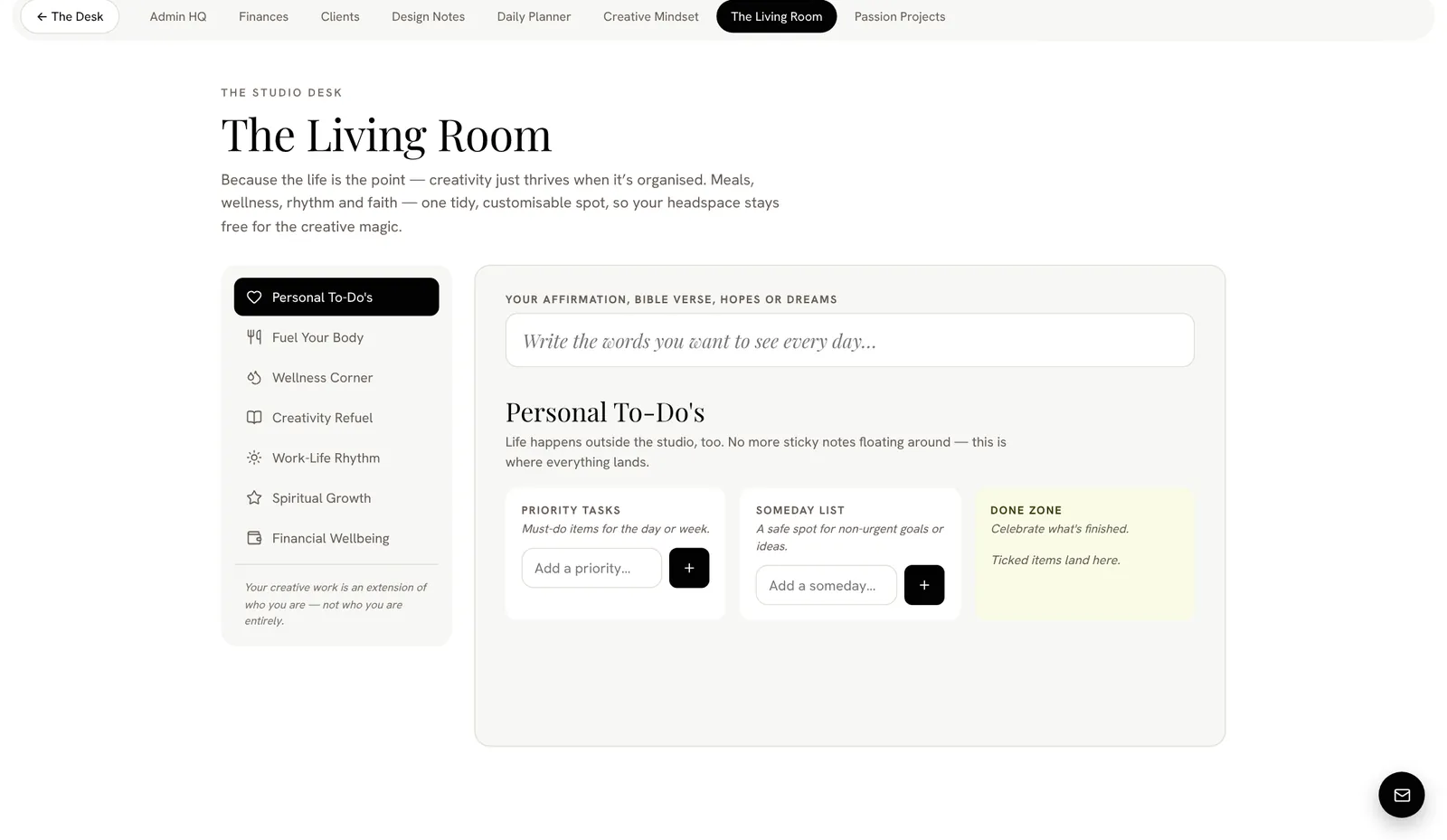
The Living Room, a calm space away from the work
The Living RoomRoom to breathe, alongside the business.

Same Desk. Your own style.

Make it yours.

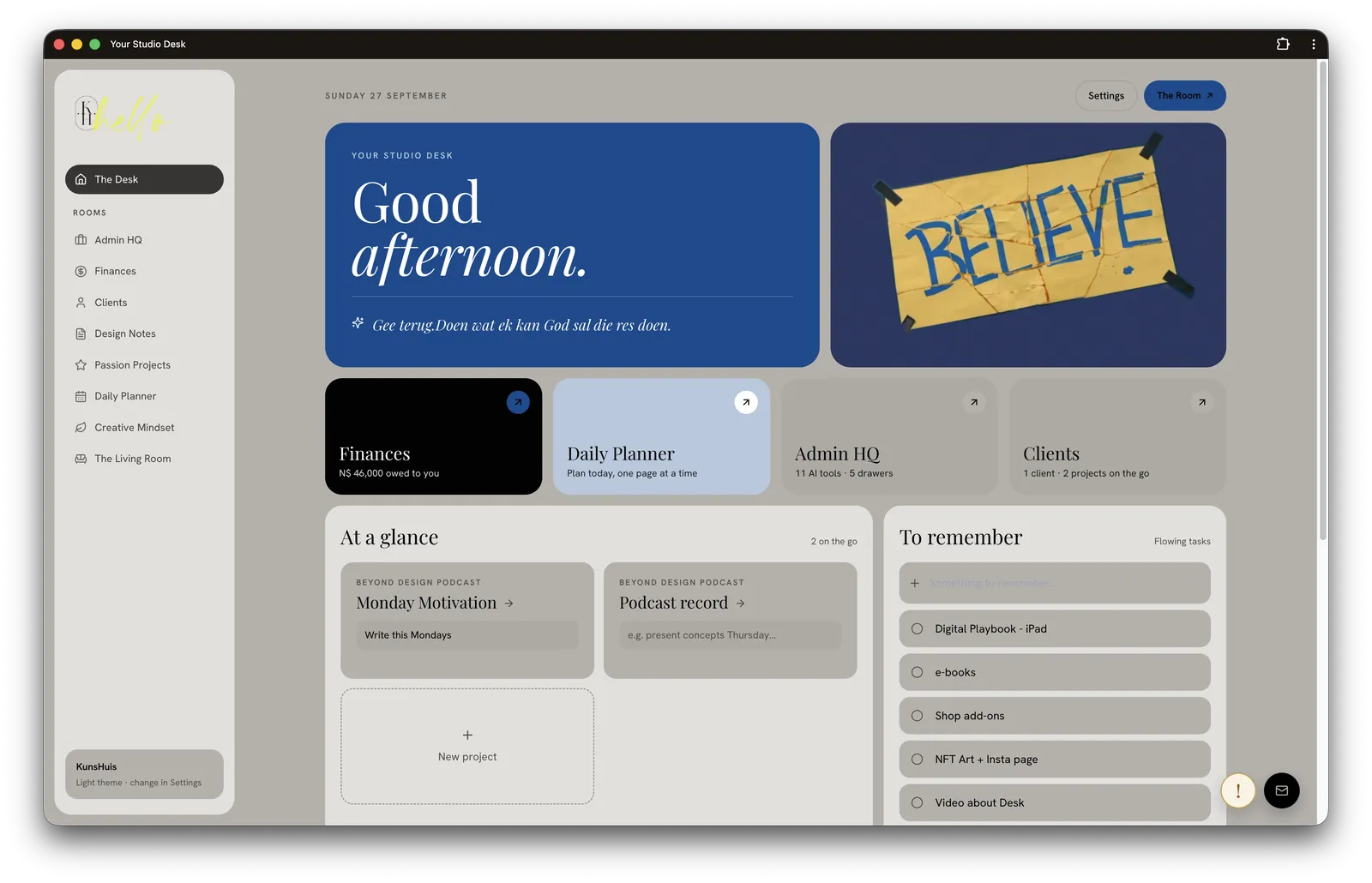
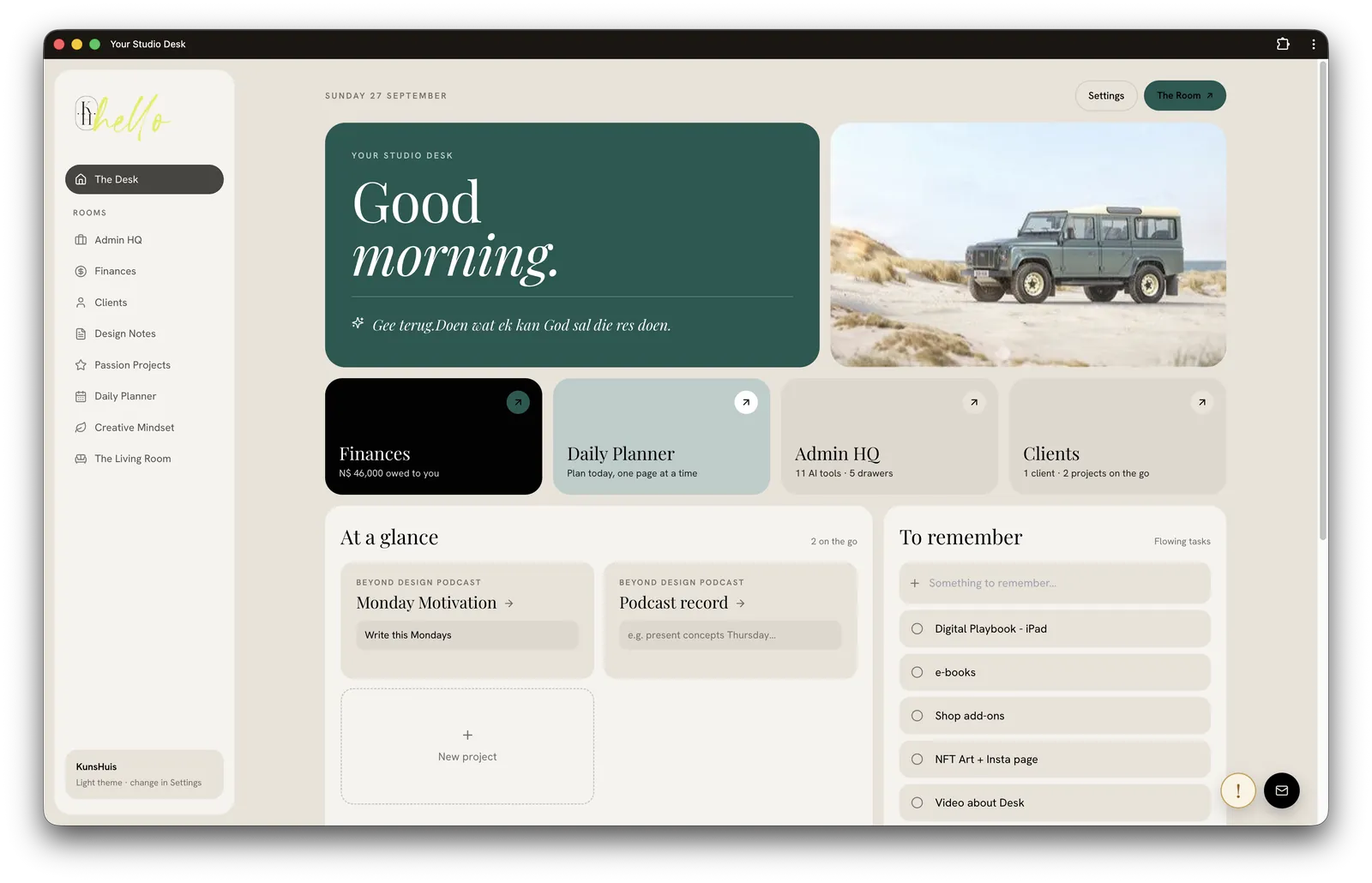
Your logo, your colours, a photo that inspires you and the words you need to read every morning. Light by day, Dark at night, or entirely in your own colours. These are examples of what you can create, not preset themes. Choose your own colours, photos and words to make the Desk feel like you.

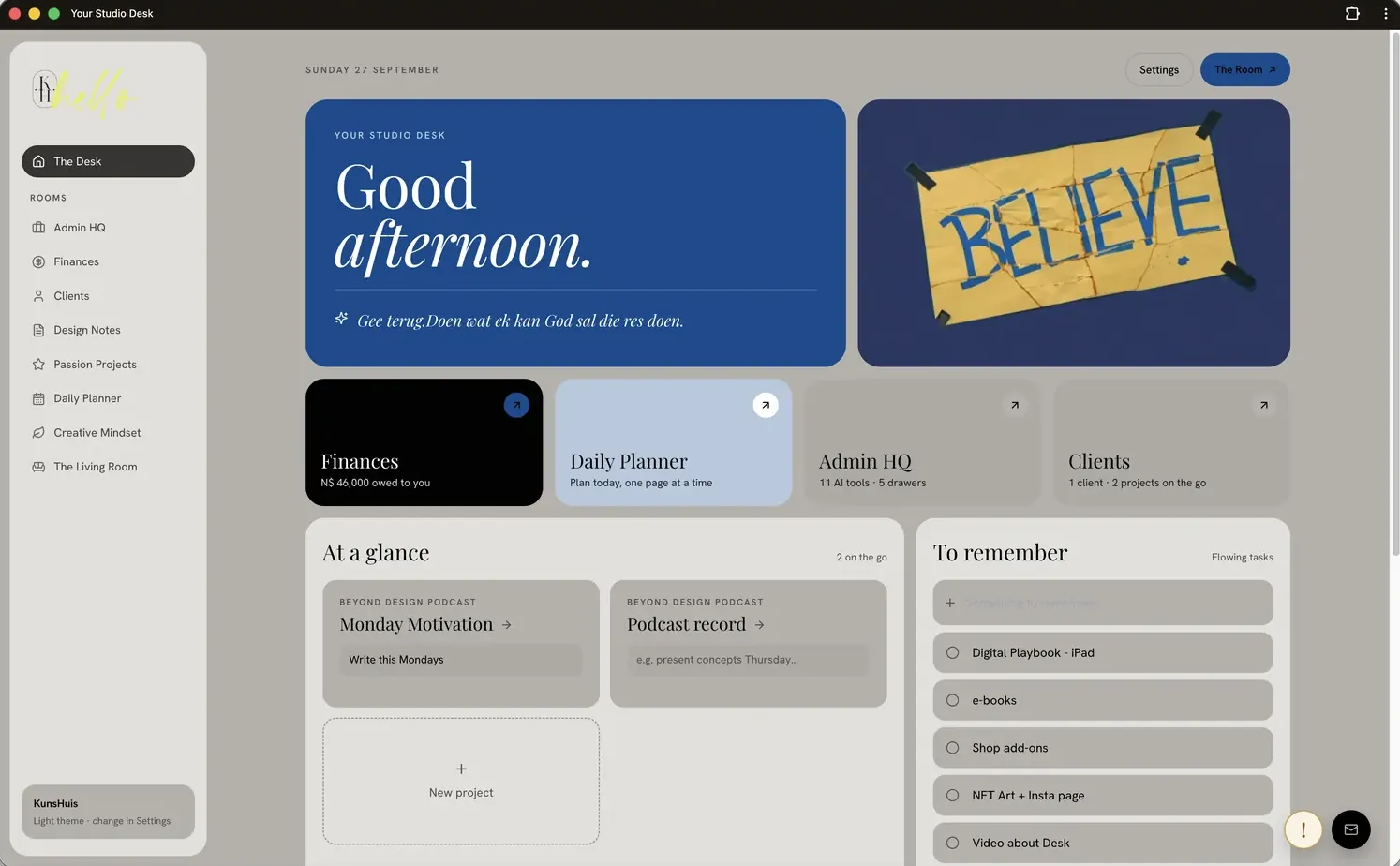
The Desk in deep blue, with a photo of a handwritten note that says Believe
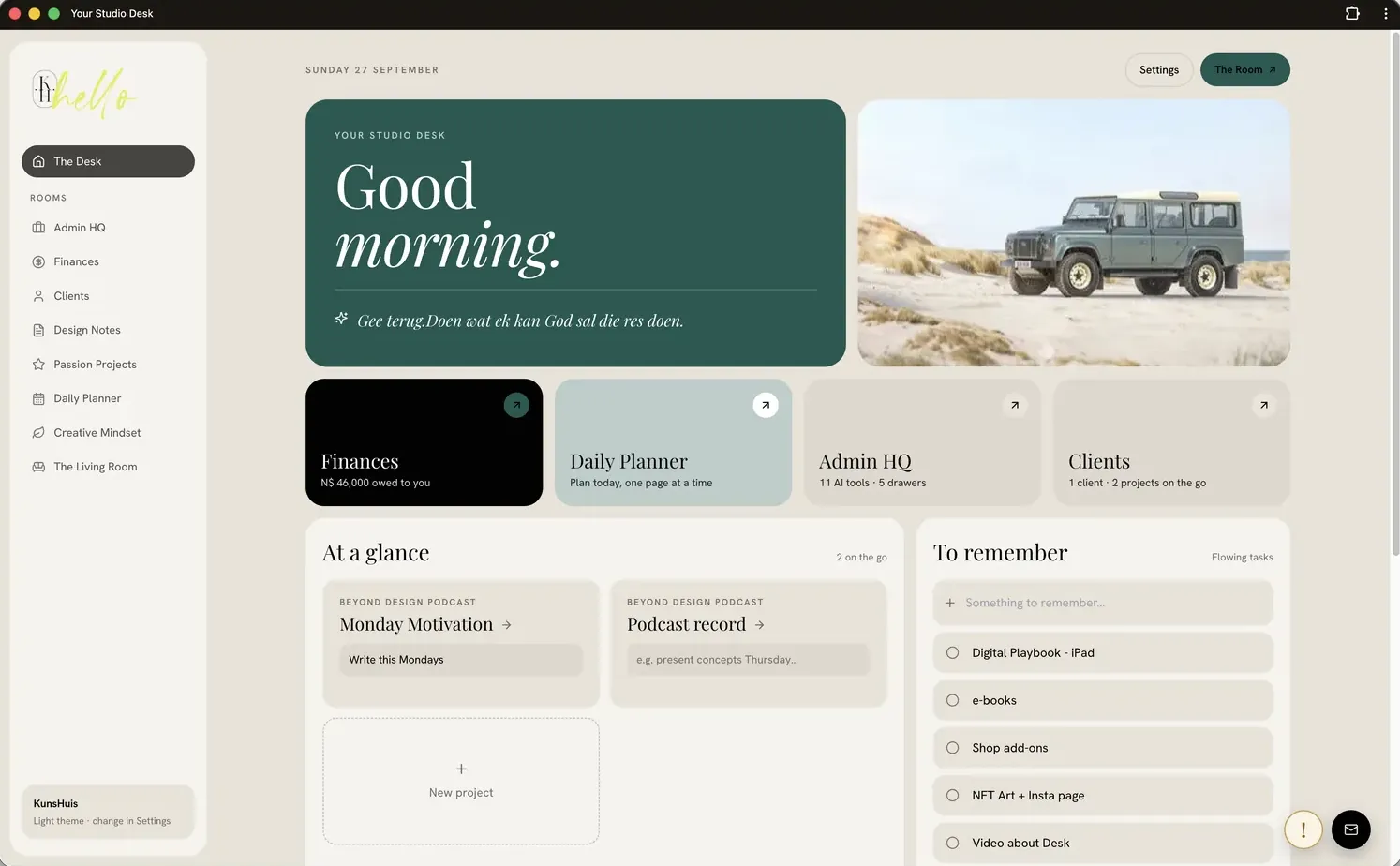
The Desk in forest green, with a photo of an old Land Rover in the dunes
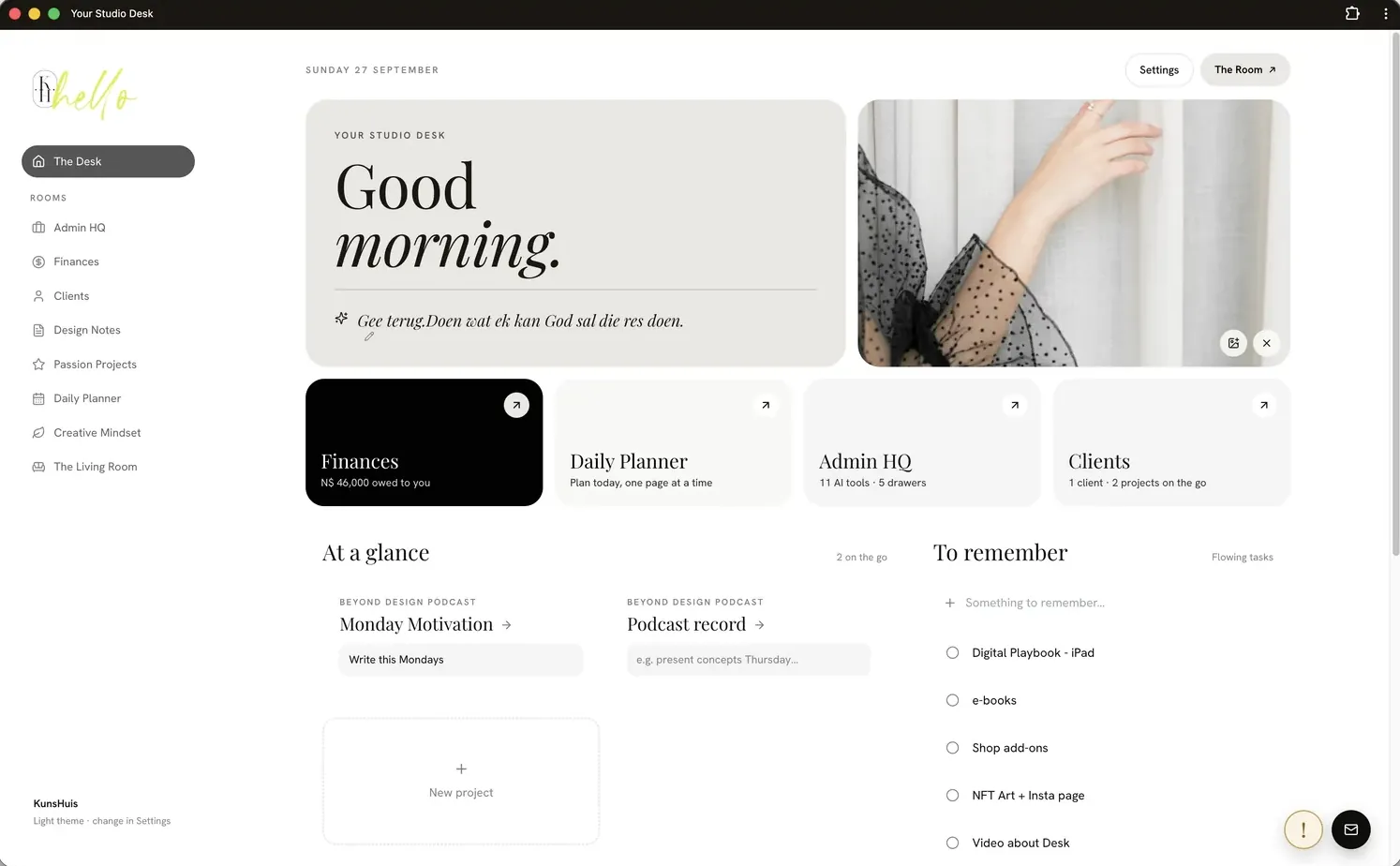
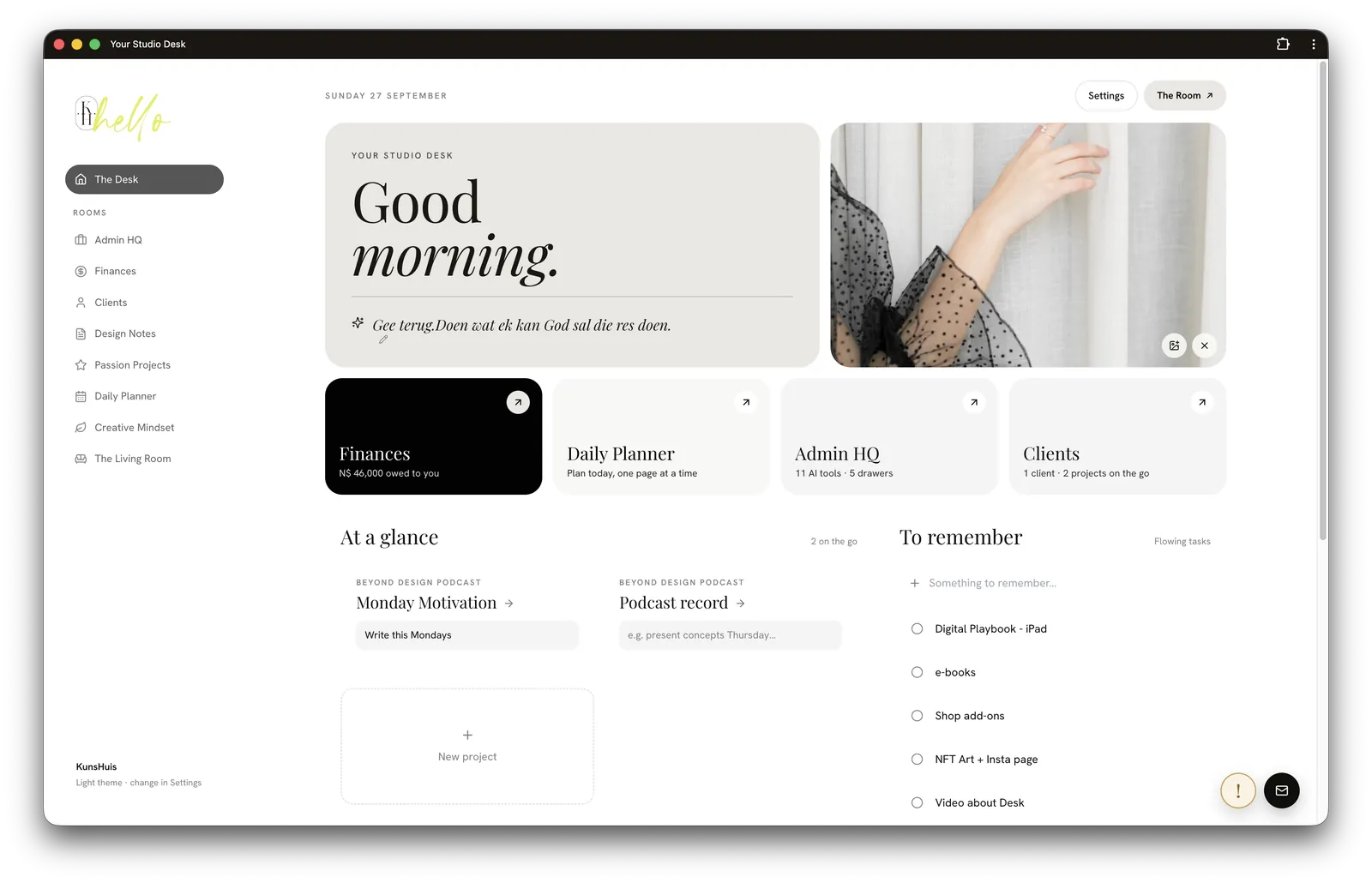
The Desk in its light look, with a soft photo of a hand against a linen curtain

Different businesses. Familiar conversations.

If you work with clients, you’ll feel at home.

“What will it cost?” “When can we have it?” “Could you just add this?” The work is different. The need for clear expectations, fair pricing and a plan is the same.

Brand & graphic designersPhotographersVideographersWeb designersCopywritersIllustratorsInterior designersEvent stylistsSocial media managersConsultantsMarketers & PR

The real Desk, with practice details

Try the demo. Go on, click around.

Move between the rooms, open the menus and try things with made-up details. Nothing is saved, and live tool answers and sharing are switched off. On a phone, swipe sideways within the demo to explore the full Desk.

Interactive Desk demo · Open full screen ↗

Like what you see? Choose your subscription

Kind Words

A little reassurance, from someone else.

Read what people have shared about Kunshuis, the work and the tools.

Read the Kind Words ↗

Your Desk. Your pace.

No tiers. Just the Desk.

Every room, Studio Books and the living tools, together in one subscription. The only choice is how you’d like to pay.

Monthly

N$420/ month

For less than the cost of one hour of your work, you get the whole Desk. Every tool, all in one place.

A little breathing room to take it month by month.

Choose monthly ↗

Yearly · save N$840

N$4,200/ year

A full year at your Desk for the price of ten months.

Choose yearly ↗

Every subscription includes

Clients & projectsWhat to chargePrice a projectWhat’s really mine?Quotes & invoicesCredit notes & statementsVAT & tax set-asideBank import & reportsContracts & e-signaturesProofing sheetsPrice menusProposalsWelcome guidesClient Studio DeskBrief StudioStatus reportsFeedback helperLiving toolsDaily PlannerDesign NotesPassion ProjectsCreative MindsetThe Living RoomYour own colours & logoAutomatic backupsUp to three devices

Prices in Namibian dollars (NAD). Review your currency and the current subscription details in the shop before checkout.

Nelett Loubser, founder of Kunshuis, smiling in a studio doorway

Hey, I’m Nelett

I wanted one place that held the whole business. So I built it.

I studied graphic design in Cape Town, spent five years at Ogilvy Namibia, and started my own studio, Kunshuis, in 2010. In all that time I never found one place that held everything — the client, the quote, the contract, the invoice, the feedback, and the person doing it all.

The Studio Desk is what I’ve learned about running a creative studio, made into the tools I wish I’d had from the start. It’s in beta, and it’s being shaped by working creatives who use it every week. Come use it — and tell me what would make it better.

Nelett x

Before you make it yours

A few things worth knowing.

Still have a question? Ask me, Nelett ↗

Is it only for graphic designers?

No. The everyday business tools work for photographers, videographers, web designers, writers, illustrators, interior designers, stylists, consultants, marketers and anyone else who works with clients. The contract templates and price menus cover many of those crafts too. There are also specialist design tools, because that’s where my experience began.

Where does my work save?

On your own device — not on my servers and not in someone else’s cloud — so you stay in control of your data. Turn on automatic backups to a folder in Dropbox, iCloud Drive, Google Drive or an external drive, or download a backup with one click. The links you share with clients (price menus, proposals, contracts and client desks) are held online so your clients can open them.

Can my clients see everything?

No. Clients only see what you share: their own desk and the links you send them. Your Finances, notes and planner stay yours.

Are the contracts legal advice?

No. They’re plain-English starting points, each with a short note on why a clause is there. For large or unusual projects, have a lawyer look over your contract.

Do I need to buy Studio Books separately?

No. The complete Desk includes its Finances room. Studio Books is also available on its own if you only need the money side.

How many devices can I use?

Up to three. Because your Desk lives on each device, it doesn’t sync by itself — use your backup to move it or copy it across. If you change computers, remove the old one in Settings → Your subscription, and you’re free to unlock the new one.

How do the subscriptions work?

Choose N$420 a month or N$4,200 a year (NAD). The yearly option saves N$840 compared with twelve monthly payments. Both give you the complete Desk, and you can cancel whenever you need to. Review the current subscription details in the shop before checkout.

What does “beta” mean here?

There’s a lot here already, and it’s still being refined. You may come across rough edges, and things may change as I learn what works. You don’t need to be technical to help — just tell me what happened, in your own words.

Your expertise is your business. Give everything around it a home.

Start with one client, one quote or today’s plan. You don’t have to organise your whole life by lunchtime.